How to run an LLM locally
The quickest way to run an LLM locally is Ollama, a free app for Mac, Windows, and Linux. Here's the five-minute version:
- Download Ollama from ollama.com/download and install it.
- Open Terminal on a Mac or Linux, or PowerShell on Windows.
- Type
ollama run gemma4:e2band press Enter. The first time, Ollama downloads Google's small Gemma 4 model (4.6 to 7.5GB), then opens a chat. - Type a question and press Enter. The answer comes from your own computer, not the cloud.
- Type
/byewhen you're finished. - Done! You're running an LLM locally, and it keeps working with no internet connection.
ollama run gemma4:e2b
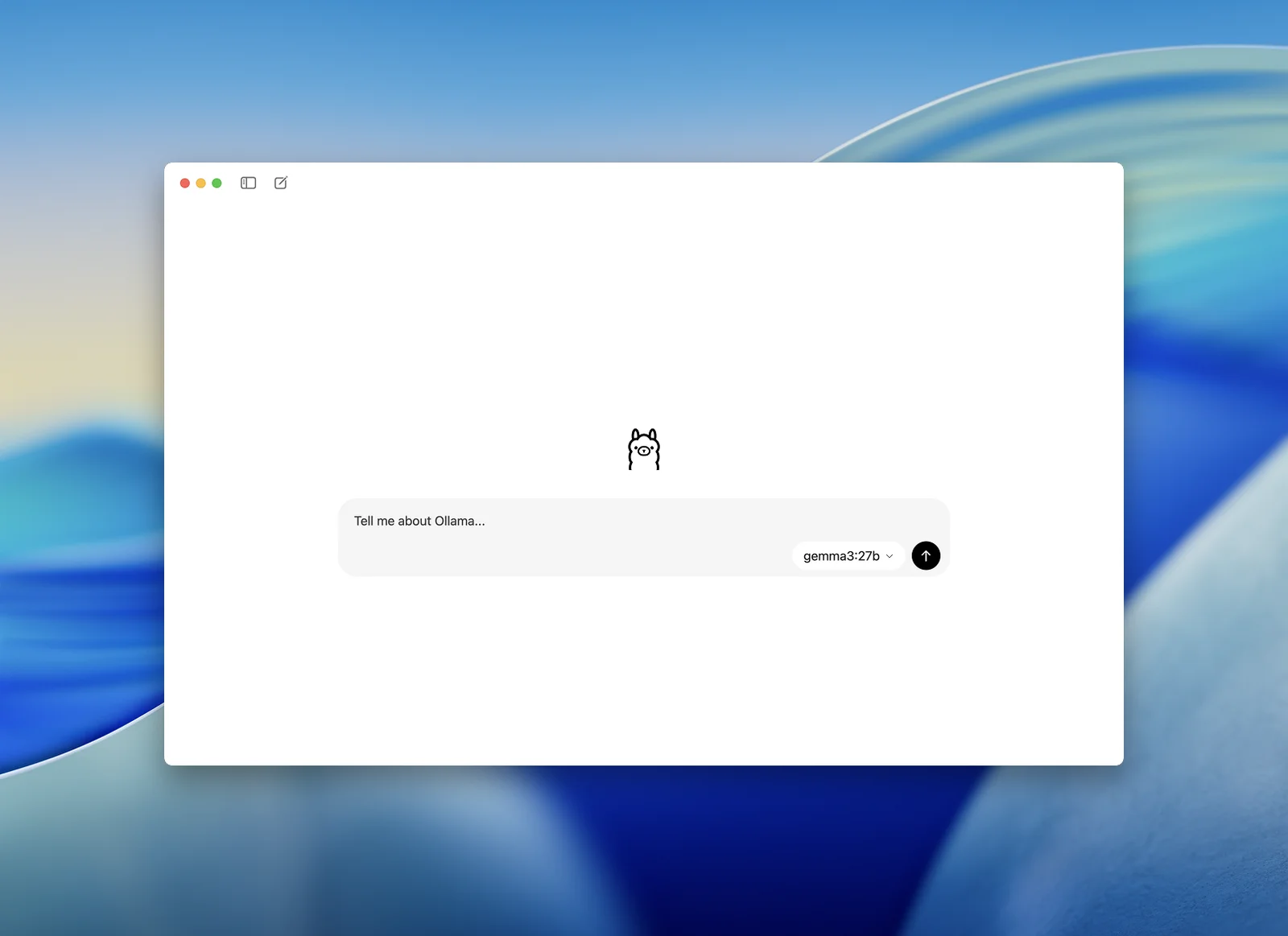
Prefer clicking to typing? Ollama's desktop app for Mac and Windows has a chat window: open it, pick a model from the menu next to the message box, and Ollama downloads it the first time you chat. Here's the app, in a screenshot from Ollama:
Running an LLM locally means the AI model lives on your own computer instead of someone else's servers. Your prompts never leave the machine, it works on a plane, and there's no bill per message.
I build AI chatbots and agents for a living. For client work I mostly use the big cloud models, but local models are brilliant for private documents and for experimenting without watching a meter. Below is how to set one up on each system, which model fits your computer, and how to plug it into your own apps.
How to run an LLM locally on Mac
To run an LLM locally on a Mac, you need macOS 14 Sonoma or newer, and ideally an Apple Silicon Mac (M1 or later), which runs models on its built-in graphics chip. Intel Macs work with Ollama, but only on the processor, so they're slow.
- Download Ollama for macOS from ollama.com/download, open the file, and drag Ollama into your Applications folder.
- Open Ollama once so it starts in the background.
- Open Terminal and run
ollama run qwen3.5:9bon a 16GB Mac, orollama run qwen3.5:4bon an 8GB one. - Done! Chat away, and type /bye to finish.
ollama run qwen3.5:9b
Macs share one pool of memory between the processor and the graphics chip, which is why they're so good at this. macOS keeps a chunk for itself, though, so a 16GB Mac is happiest with models under about 10GB. If you'd rather click than type, LM Studio does the same job in a full chat app, but it needs Apple Silicon.
How to run an LLM locally on Windows
To run an LLM locally on Windows, you need Windows 10 (version 22H2) or Windows 11. An NVIDIA or AMD graphics card makes it much faster, but it runs on the processor alone too.
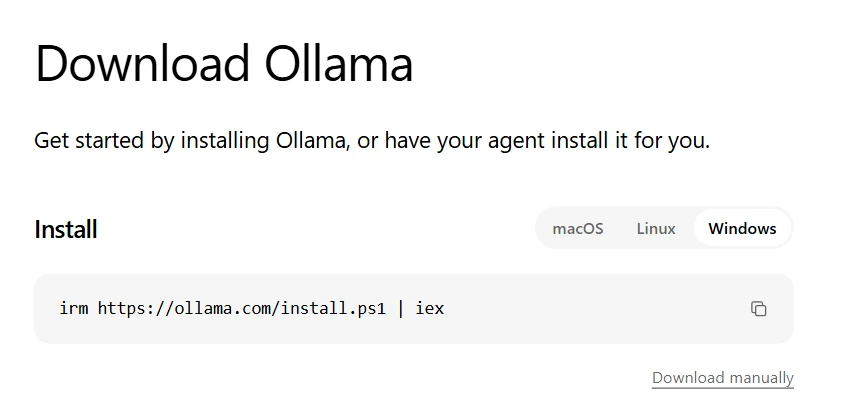
- Go to ollama.com/download, pick Windows, and click Download manually to get the installer. It doesn't need admin rights. Or paste the one-line install command below into PowerShell.
- Open PowerShell or Command Prompt.
- Run
ollama run qwen3.5:9bif you have 16GB of RAM, orollama run gpt-oss:20bif you have a graphics card with 16GB of memory. - Done! Ask it something, and type /bye to finish.
irm https://ollama.com/install.ps1 | iex
For NVIDIA cards, Ollama needs driver 551.61 or newer, and AMD Radeon cards work through ROCm or Vulkan. Leave at least 4GB of disk space for Ollama itself, plus room for the models, which run from a few gigabytes to well over 50. LM Studio runs on Windows too, as long as your processor supports AVX2 (almost any made since 2015) or you have a Snapdragon X Elite laptop.
How to run an LLM locally on Linux
To run an LLM locally on Linux, install Ollama with one command, check it worked, then run a model from the terminal:
curl -fsSL https://ollama.com/install.sh | sh
ollama -v
ollama run qwen3.5:9b
Done! If you have an AMD graphics card, Ollama's Linux guide has an extra ROCm package to install. LM Studio is also available for Linux as an AppImage, for Ubuntu 20.04 or newer on x64 or ARM64.
What is the best LLM to run locally?
The best LLM to run locally is the biggest good model that fits in your memory: Qwen3.5 9B on a 16GB computer, Gemma 4 26B on 24GB, and Qwen3.8 27B on 32GB. Here's what to run for each amount of memory:
| Your memory | Run this | Download | Also try |
|---|---|---|---|
| 8GB | ollama run qwen3.5:4b | 3.3 to 4.0GB | gemma4:e2b-it-qat |
| 16GB | ollama run qwen3.5:9b | 6.6 to 7.6GB | gemma4:12b |
| 16GB graphics card | ollama run gpt-oss:20b | 14GB | qwen3.5:9b |
| 24GB | ollama run gemma4:26b | 16 to 19GB | gpt-oss:20b |
| 32GB | ollama run qwen3.8:27b | 18GB | gemma4:31b |
| 64GB | ollama run qwen3.8:27b-q8_0 | 30GB | qwen3.6:35b |
| 96GB or more | ollama run gpt-oss:120b | 65GB | qwen3.5:122b |
On a PC with a graphics card, "memory" means the card's memory (VRAM): a model that spills over into normal RAM still runs, just more slowly. On a Mac it means your total RAM, but macOS keeps a chunk for itself, so aim for a download of about two-thirds of your RAM or less. On a 24GB Mac, that makes gpt-oss-20b (14GB) the safer pick. Where Ollama lists a size range, the exact download depends on which version it picks for your computer.
These are the families people actually use: Gemma 4 has 28.8 million downloads on Ollama, Qwen3.5 24.9 million, and gpt-oss 14.8 million. And they're good. On Artificial Analysis's tests, Qwen3.8 27B, which runs on a 32GB computer, scores higher than Google's cloud model Gemini 3.5 Flash-Lite (20 vs 12).
What is the best local LLM for 16GB RAM?
Qwen3.5 9B is the best local LLM for 16GB of RAM: a 6.6 to 7.6GB download that leaves room for your other apps, with Gemma 4 12B (7.7 to 8GB) close behind. OpenAI's gpt-oss-20b (14GB) fits a 16GB graphics card, but it's too tight on a 16GB Mac or PC once your browser is open.
How much RAM do you need to run an LLM locally?
You need about 0.6GB of memory per billion parameters to run an LLM locally at 4-bit, the standard size, plus a few gigabytes for the conversation and your other apps. Here are real download sizes from Ollama:
| Model size | 4-bit | 8-bit | Full size (16-bit) | Memory to run it at 4-bit |
|---|---|---|---|---|
| 8B (Qwen3 8B) | 5.2GB | 8.9GB | 16GB | 8GB |
| 14B (Qwen3 14B) | 9.3GB | 16GB | 30GB | 16GB |
| 32B (Qwen3 32B) | 20GB | 35GB | 66GB | 32GB |
| 70B (Llama 3.3 70B) | 43GB | 75GB | 141GB | 64GB |
4-bit means most numbers in the model are squeezed into 4 bits instead of 16, which cuts it to about a third of the size for a small drop in quality. 8-bit is a little smarter and nearly twice the size.
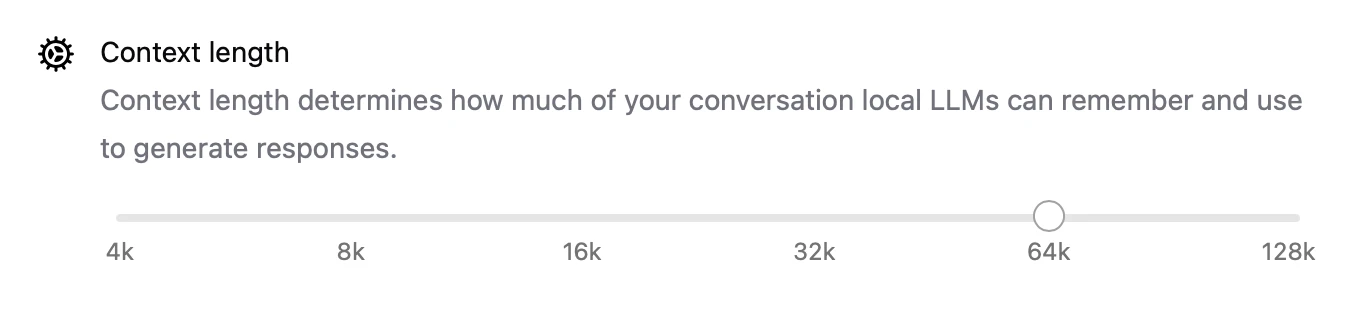
The conversation needs memory too. Ollama sets the context (how much of the chat the model can see at once) to 4K tokens on graphics cards under 24GB, 32K on 24 to 48GB, and 256K above that. 4K tokens is only about 3,000 words, so for long chats or documents, raise it with the slider in the Ollama app's settings. A longer context uses more memory, so go up a step at a time.
Can you run an LLM locally without a GPU?
Yes, you can run an LLM locally without a GPU, on the processor alone, but anything much bigger than 4B parameters gets slow. It's FOSS tested eight models in Ollama on an older i5 laptop with about 12GB of RAM and no graphics card:
| Model | Speed (tokens a second) |
|---|---|
| Qwen 3 0.6B | 34 to 36 |
| Gemma 3 1B | 18.6 |
| Gemma 4 E2B | 9.9 |
| Phi 4 Mini 3.8B | 6.9 |
| OpenHermes 7B | 4.1 to 4.3 |
| Ministral 3 8B | 3.2 |
A token is about three-quarters of a word, so 15 or more tokens a second feels responsive, and 3 to 5 is painfully slow. On a laptop with no graphics card, stick to models of 4B parameters or smaller.
Ollama vs LM Studio: which should you use?
Use Ollama if you're happy typing one command or want to plug a local model into your own apps, and LM Studio if you'd rather browse and chat with models in a full desktop app. Both are free.
| Ollama | LM Studio | |
|---|---|---|
| Price | Free; local use is unlimited | Free, including for work |
| Mac | macOS 14 or newer; Apple Silicon, or Intel on the processor only | macOS 14 or newer; Apple Silicon only |
| Windows | Windows 10 (22H2) or newer | x64 with AVX2, or ARM (Snapdragon X Elite) |
| Linux | Yes, from the terminal | Yes, as an AppImage |
| Chat window | Yes, on Mac and Windows | Yes, on all three |
| Local API | localhost:11434 | localhost:1234 |
| Best for | A quick setup, and plugging models into your own apps | Browsing models and chatting in a full app |
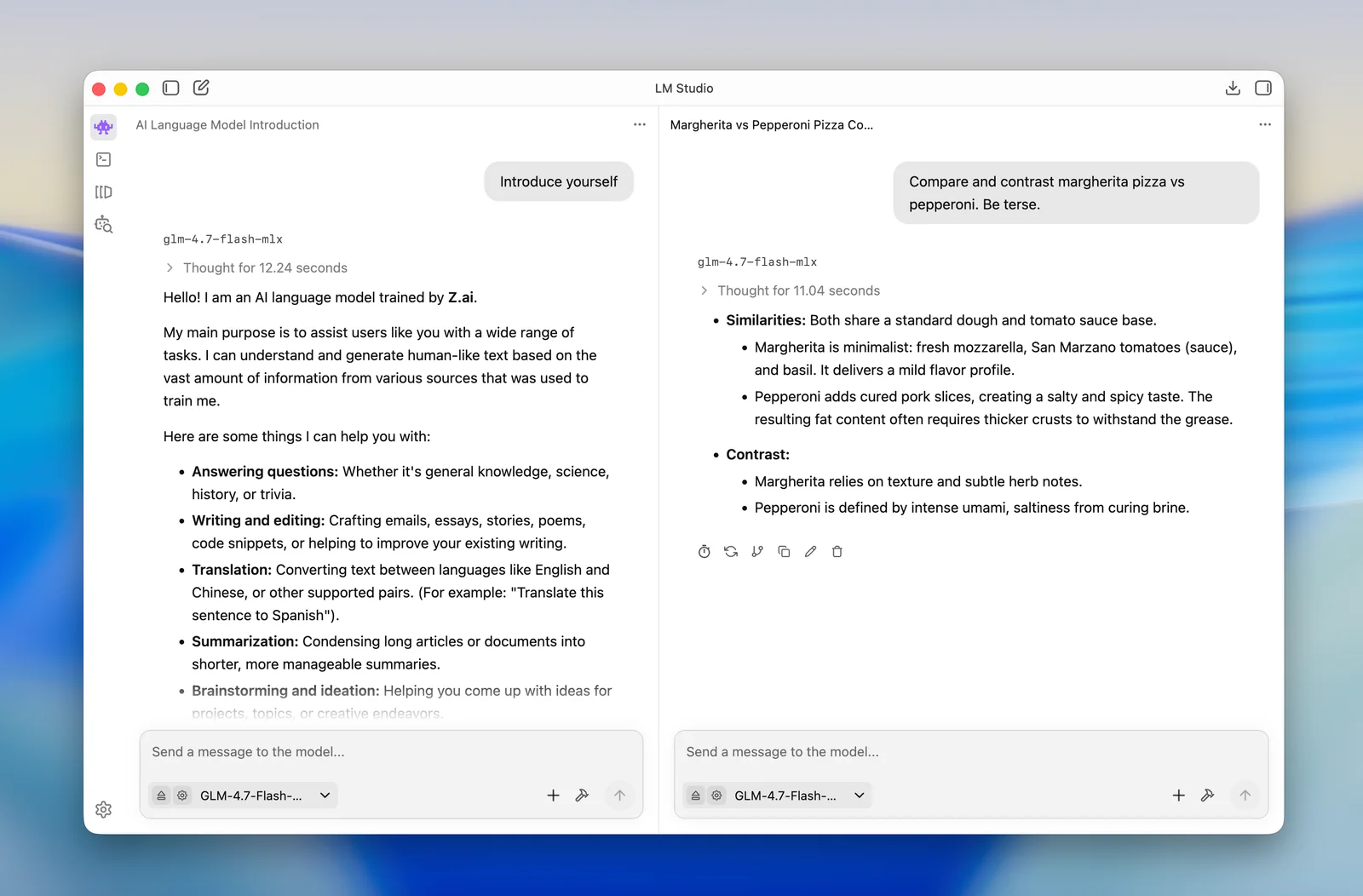
In LM Studio, you download a model from the Discover tab, then load it in the Chat tab. Its homepage now pushes Bionic, a separate AI agent app from the same team. You don't need it to chat with local models: look for the plain "Download LM Studio" button. Here's LM Studio's chat app, from LM Studio's own blog:
Two other free options are worth knowing. llama.cpp, the open-source engine under a lot of local AI apps, is the pick for tinkerers, and Jan is an open-source alternative to LM Studio.
How do you use a local LLM in your own apps?
Ollama and LM Studio both run a local server that speaks the same language as OpenAI's API, so most AI apps and code libraries can use your local model by changing one line. Here it is in Python with Ollama:
from openai import OpenAI

client = OpenAI(base_url="http://localhost:11434/v1/", api_key="ollama")
reply = client.chat.completions.create(
    model="qwen3.5:9b",
    messages=[{"role": "user", "content": "Write a haiku about a kelpie."}],
)
print(reply.choices[0].message.content)
The API key can be anything, because nothing leaves your computer. For LM Studio, start its server from the Developer tab and use http://localhost:1234/v1 instead. And local models aren't just for text: vision models like Qwen3-VL read photos too (ollama run qwen3-vl:8b, a 6.2GB download), which is a handy shortcut for a computer vision project.
How can I customize Ollama models?
You customize an Ollama model with a Modelfile: a short text file that sets the base model, its settings, and a system prompt. Save this as a file called Modelfile:
FROM qwen3.5:9b
PARAMETER temperature 0.7
PARAMETER num_ctx 16384
SYSTEM You are a friendly helper for a camping store. Keep answers short and practical.
Then build your model and chat with it:
ollama create camping-helper -f ./Modelfile
ollama run camping-helper
num_ctx sets the context length, so this model can see 16K tokens of the chat instead of the default 4K. temperature controls how adventurous the answers are: lower is more predictable. Ollama's Modelfile guide lists every setting.
Can an LLM run without internet?
Yes. Once the model is downloaded, a local LLM runs with no internet connection at all. You only need to be online to download models and app updates. The quickest test is to turn off your wifi and ask it something.
Ollama's FAQ puts it plainly: "We don't see your prompts or data when you run locally." It also sells optional cloud models, so if you want to be certain nothing leaves your computer, switch cloud features off with the OLLAMA_NO_CLOUD=1 setting. LM Studio says it can run entirely offline, including chatting with your own documents.
Is running an LLM locally worth it?
Running an LLM locally is worth it for privacy, offline work, and unlimited experimenting, but for most business apps a cheap cloud API is smarter and still costs almost nothing.
The models that fit on a laptop are good, not great: GPT-6.1 Terra or Claude Sonnet 5.5 will out-think anything you can run at home. Meanwhile the cheapest LLM APIs, like GPT-6 Luna and Claude Haiku 5.5, cost $0.10 per million input tokens, so a typical chatbot reply costs about $0.0003. A graphics card big enough for a 70B model costs more than years of that. Put your own numbers into the LLM cost calculator to see what your usage would cost on an API.
My rule of thumb: run it locally for anything private, like contracts, medical notes, or your own journal, and for tinkering. Use an API when customers are on the other end. Every one of these models is a transformer, the same kind of neural network behind ChatGPT, so if you're curious how they actually work, start with natural language processing and the types of neural networks.