Beginner Computer Vision Projects
These five beginner computer vision projects run on a normal laptop with Python and OpenCV. No GPU and no model training needed.
1. Color Detection
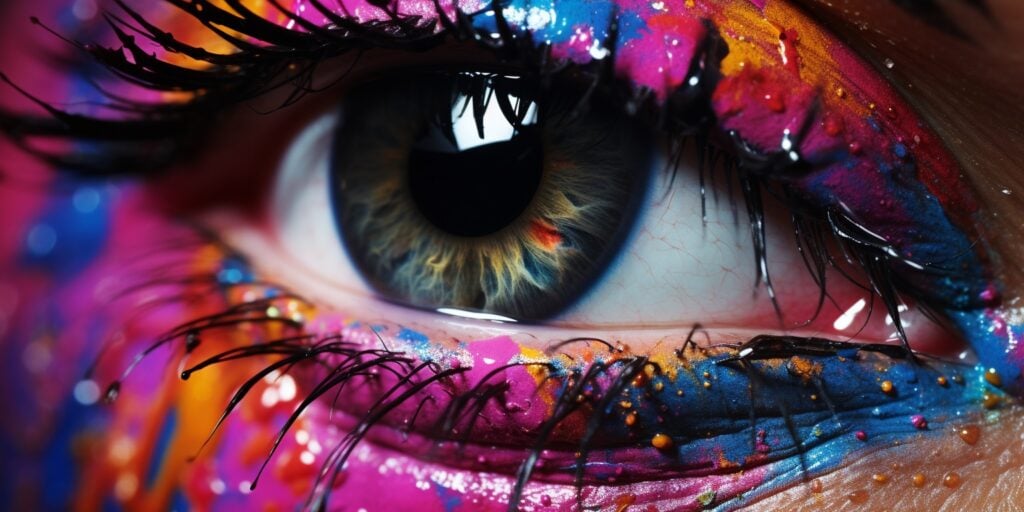
Color Detection is considered the ‘easiest’ on our list of computer vision projects. It’s a great first project to dip your toes into the world of computer vision algorithms.
Color detection is a computer vision image classification technique used to identify and isolate specific colors within an image or video. By processing each pixel of the media and determining if it falls within a certain range, you can segment out areas of interest based on color.
Color detection is widely used in applications like object tracking, image editing, and real-time video analysis.
Here’s a great guide from the Towards Data Science archive on building a color recognizer in Python, one of the best beginner computer vision projects you can start getting your hands dirty with.
You'll need: Python, OpenCV, and a webcam or a few photos.
Source code: color-detection-opencv on GitHub.
Take it further: mount the camera over a robot arm and have it sort blocks by color. It's a classic robotics project, and the color detection code barely changes.
2. Image to Sketch

Next on our list of computer vision project ideas is an image-to-sketch project, which is a technique that transforms a standard image into a sketch.
Image-to-sketch can be used in photo editing apps and graphic design. For us at home, it can be a fun project to turn some of your selfies or other photos into a sketch and show off your computer vision skills.
This computer vision project typically involves converting the image to grayscale, inverting the colors, applying a blur, and then blending the blurred image with the original grayscale image. The result is an artificial intelligence powered sketch of your input image.
Check out this computer vision project guide that shows you how to generate a pencil sketch from a photo in Python.
You'll need: Python and OpenCV.
Source code: LearnOpenCV sketch code on GitHub.
3. Image to Cartoon

Image-to-cartoon is another computer vision project idea that utilizes the same basic framework we’ve seen so far.
Image to cartoon is often used in mobile apps, social media filters, and digital art. People have even built online computer vision applications “cartoonizing” profile pictures for a small fee.
Unique aspects of this specific computer vision project include stylization to simplify textures and colors, edge enhancement to emphasize outlines, and color reduction to mimic the limited palette typically found in cartoons.
Overall, this is very similar to Project 2 with a few extra steps at the end to get the desired cartoon effects. Learn how to cartoon an image using OpenCV and Python in this computer vision project guide.
You'll need: Python and OpenCV.
Source code: White-box Cartoonization on GitHub.
4. Face Detection
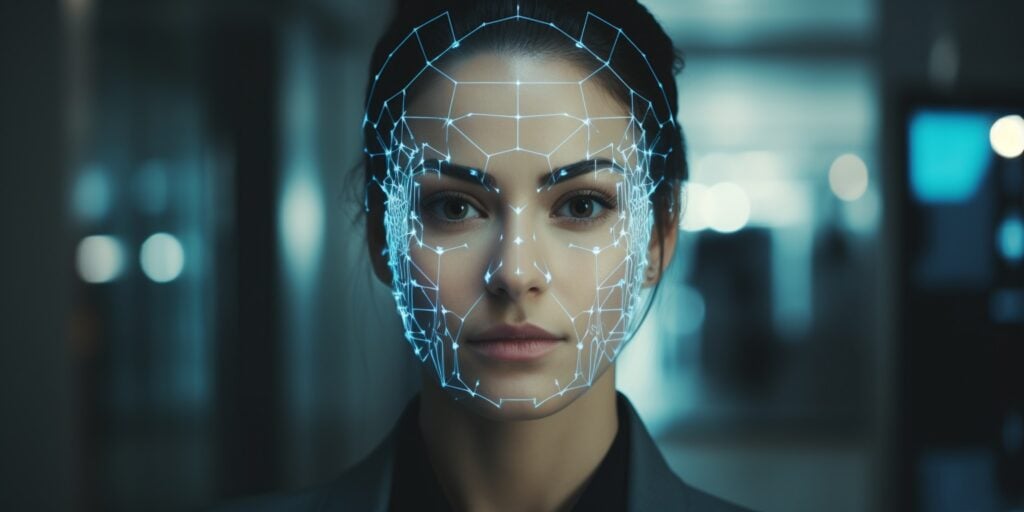
Next on the list of computer vision project ideas is face detection. As you might have guessed, face detection is a computer vision object detection technique that identifies and locates faces in images and videos.
Face detection is used in various computer vision applications such as autofocus, face tagging in photos, and security systems. Face detection lays the groundwork for facial recognition and other object detection models, which we’ll look at later in the article.
Face detection offers some unique challenges we haven’t seen so far like lighting, facial orientations, discernment, and real-time processing for video.
Older tutorials use OpenCV's Haar cascades, which are fast but miss faces that turn away from the camera. OpenCV's built-in YuNet face detector is a better place to start now, and the OpenCV face detection tutorial walks you through it.
You'll need: Python, OpenCV, and a webcam.
Source code: YuNet in OpenCV Zoo on GitHub.
Take it further: turn it into a driver drowsiness detector that sounds an alarm when the eyes stay closed too long. LearnOpenCV's drowsiness detection code tracks the eyes with MediaPipe.
5. QR Scanner
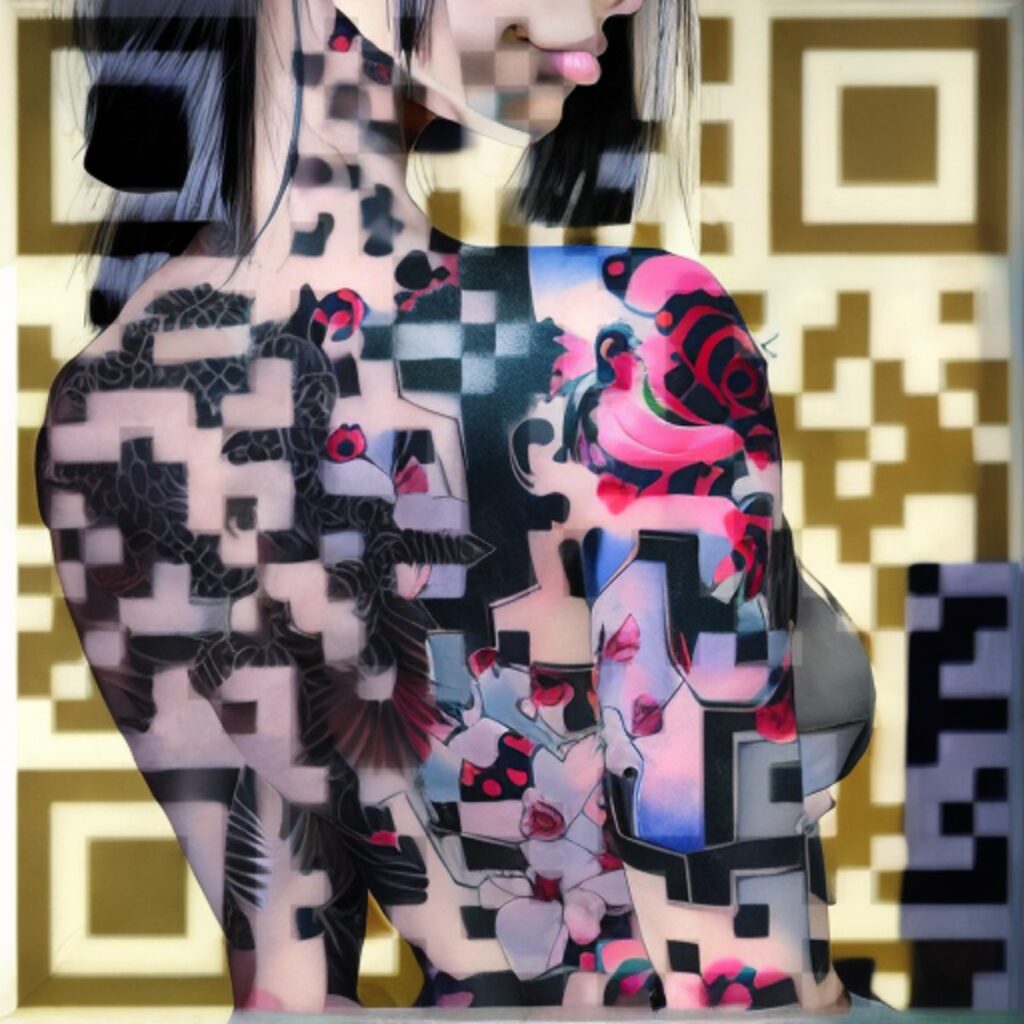
Next up is one of the more interesting computer vision projects – building a QR code scanner.
A QR scanner is a computer vision application that decodes Quick Response (QR) codes – which are barcodes containing information such as text or URLs.
QR codes are widely used for product identification, tracking packages, advertisements, and business cards for encoding URLs or contact information. You’ll most likely already have a QR scanner built into your phone, try scanning the AI-generated QR code above (here’s how to make AI QR codes like that one)! Nevertheless, it’s still a fun computer vision project idea.
To get started detecting and reading QR codes with computer vision, you’ll need a programming language like Python and a library such as ZBar or Pyzbar for barcode and QR code decoding. OpenCV also has a built-in QR code detector. You’ll also need images of barcodes and QR codes or a camera to capture them in real time for testing and development.
You'll need: Python, OpenCV or pyzbar, and a webcam or phone photos.
Source code: pyzbar on GitHub.
Intermediate computer vision projects add pre-trained deep learning models, like Ultralytics YOLO and MediaPipe, on top of the OpenCV basics. Most still run on a laptop.
6. Face Pixelation
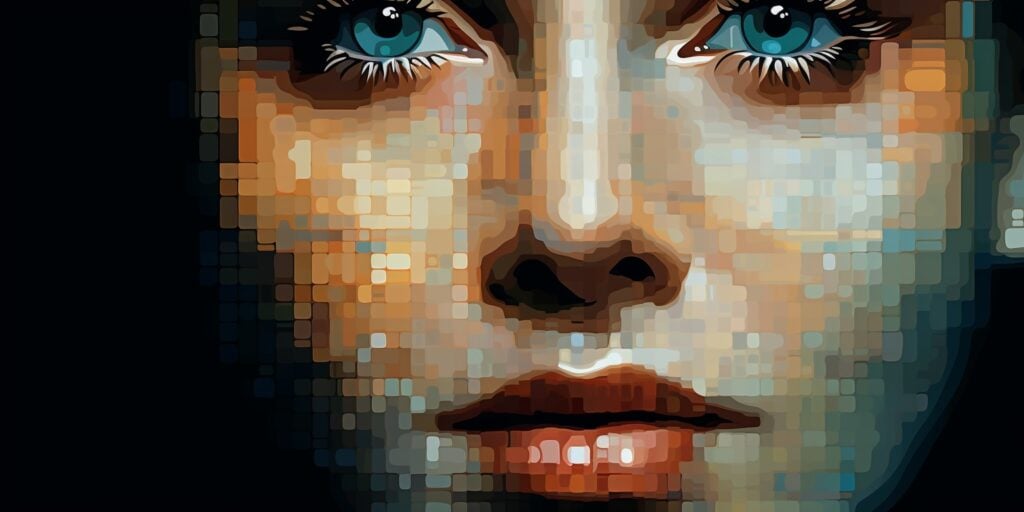
Face Pixelation is a computer vision project idea where faces in an image or video are obscured by reducing the resolution of the facial region into large, visible pixels. It’s often used for privacy protection in videos, photos, and surveillance footage to anonymize individuals.
To get started, you’ll be best off completing Project 4 first where we learned how to recognize faces in images and video feeds. Following this you can apply a pixelation or blurring effect to the regions where faces are detected.
You'll need: Python, OpenCV, and the face detector from Project 4.
Source code: deface on GitHub.
7. Business Card Scanner
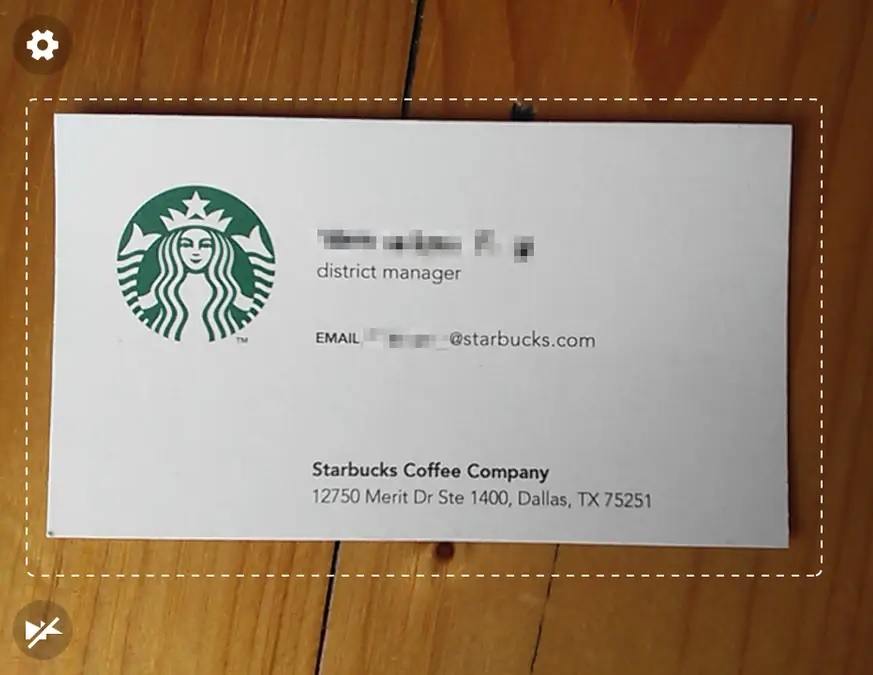
Up next in our list of computer vision projects is the business card scanner, which is a computer vision project idea that extracts information from physical business cards.
It’s used for saving contact information without manual entry and is helpful for professionals and businesses to manage their contacts without having to carry around a pocket full of business cards.
To build a business card scanner, you’ll need a programming language like Python and libraries such as OpenCV for image processing and Tesseract for Optical Character Recognition (OCR).
Start by capturing an image of the business card, then preprocess the image (e.g., resizing, thresholding), and finally, use OCR to extract text information. Be sure to have a few business cards ready for testing your build.
You'll need: Python, OpenCV, and Tesseract or EasyOCR.
Source code: PaddleOCR on GitHub.
8. Document Scanner and Digitizer
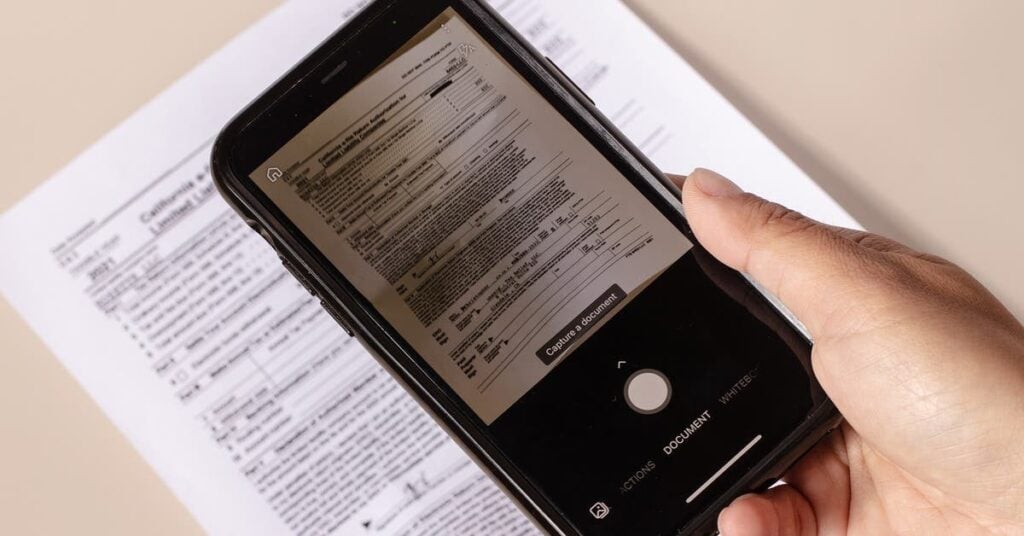
Document Scanner and Digitizer is a computer vision application that converts physical documents into digital format.
Document scanners have become a popular mobile app and have reduced the need for expensive physical scanner hardware.
The process involves detecting the document’s edges, correcting the perspective to obtain a flat view, and then using optical character recognition to extract text. PyImageSearch has a classic document scanner tutorial that covers the edge detection and perspective steps.
Unique aspects of this project include dealing with various document sizes and formats, correcting distortions and skew, and improving text recognition accuracy even in low-quality images.
You'll need: Python, OpenCV, and Tesseract.
Source code: OpenCV-Document-Scanner on GitHub.
Take it further: build a panorama stitcher. It uses the same perspective math to line up overlapping photos into one wide shot, and OpenCV's stitching sample shows every step.
9. Hand Gesture Recognition
Hand gesture recognition is a computer vision project that reads hand shapes from a camera and turns them into commands, like a thumbs up to play music or an open palm to pause a video.
It's used in touchless kiosks, sign language tools, car infotainment systems, and VR headsets that track your hands instead of controllers.
MediaPipe's Hand Landmarker finds 21 points on each hand in real time. Its Gesture Recognizer knows seven gestures out of the box, including thumbs up, thumbs down, open palm, and victory, and you can train it on your own.
The unique part of this project is turning those points into reliable commands: working out when a gesture starts and ends, and ignoring hands that are just moving around. It's light enough to run on a Raspberry Pi, which makes it a fun hardware project too.
You'll need: Python, MediaPipe, and a webcam.
Source code: hand-gesture-recognition-mediapipe on GitHub.
10. Shadow Removal
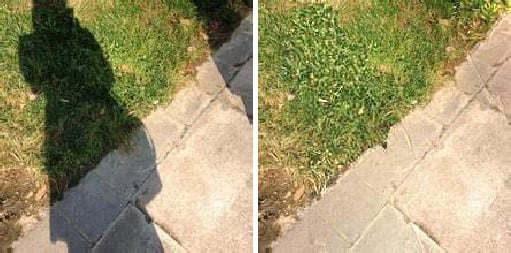
Shadow removal is a computer vision project that finds shadows in a photo and brightens them back to match the rest of the scene. It's used in object tracking and photo editing, where shadows can impact analysis or general aesthetics.
What makes this project difficult is teaching your model how to differentiate between shadows and dark objects in the reference image.
For this computer vision project idea, you’ll likely employ techniques like background subtraction, color analysis, and illumination adjustment.
There’s a curated list of shadow removal papers, code and datasets on GitHub to help with this computer vision project.
You'll need: Python, OpenCV, and PyTorch for the deep learning approaches.
Source code: ShadowFormer on GitHub.
11. People Counter
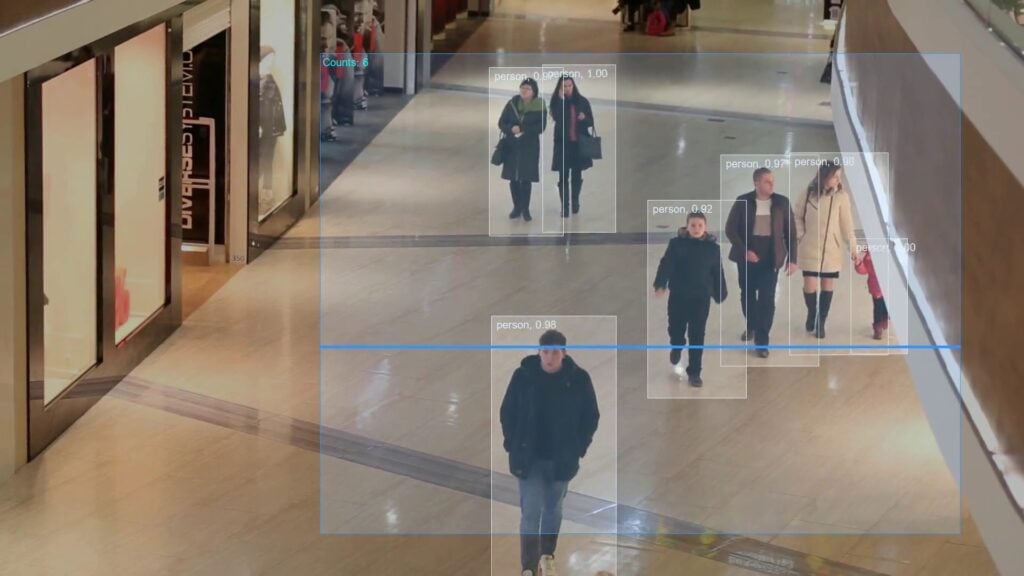
Next on the list of computer vision projects is the people counter or pedestrian detection model. It’s a computer vision application that can automatically count and keep track of the number of people in images or video feeds.
People counters are used for foot traffic analysis and event management for capacity monitoring.
Unique aspects of this project include differentiating between individuals in crowded scenes and tracking people across consecutive frames in video data. Techniques such as object detection, blob analysis, and tracking algorithms are employed.
The quickest way in is a pre-trained YOLO model. The Ultralytics object counting guide counts people crossing a line or entering a zone in a few lines of Python, using its latest YOLO26 models.
You'll need: Python, Ultralytics YOLO, and some video footage.
Source code: People-Counting-in-Real-Time on GitHub.
12. Background Removal

A super practical one on our list of computer vision projects is background removal. Background Removal is a computer vision technique that involves separating the foreground subject of an image or video from the background.
This is possibly one of the most common computer vision techniques and commonly used in meeting tools for keeping your home private, in YouTube thumbnails, and in video production for custom backgrounds and effects.
Deep learning models such as BodyPix (now part of TensorFlow.js’s body-segmentation package), Meta’s Segment Anything models, or the classic GrabCut algorithm in OpenCV are common approaches for your background removal computer vision projects. The latest version, SAM 3, can find and cut out every instance of an object from a short text prompt.
You'll need: Python, OpenCV, and a segmentation model like SAM 3.
Source code: rembg on GitHub.
13. Object Tracking
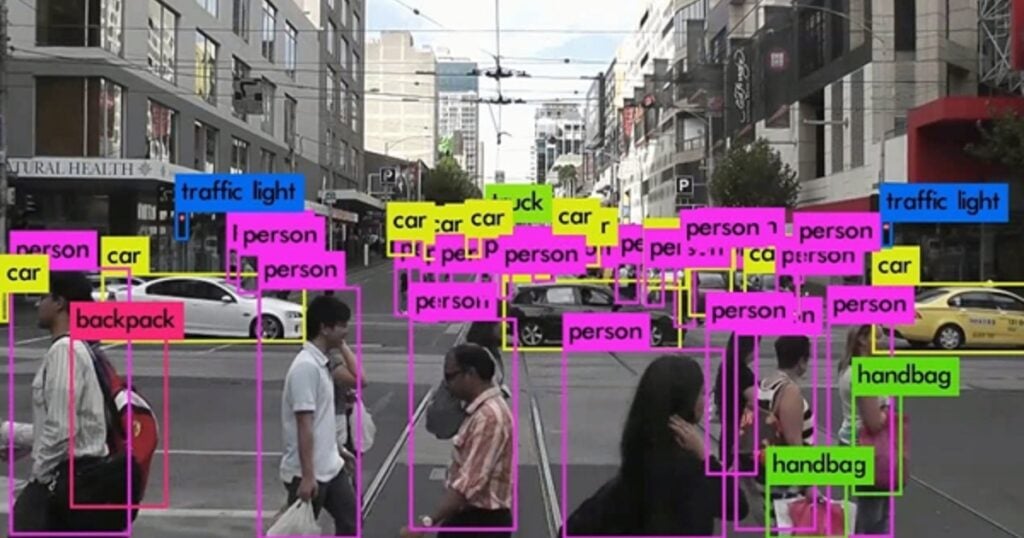
Object detection and tracking is a computer vision model that involves monitoring the movement of a specific object through a sequence of images or video frames.
It is used in applications such as surveillance, autonomous vehicles, and robotics.
Object detection and tracking are challenging due to changes in object appearance, occlusions, and camera motion.
Multiple algorithms like Kalman filters, mean-shift, or deep learning-based trackers can be employed. The Ultralytics tracking mode pairs a YOLO detector with trackers like ByteTrack and BoT-SORT, so every object keeps the same ID from frame to frame.
You'll need: Python, Ultralytics YOLO, and video footage.
Source code: ByteTrack on GitHub.
14. Traffic Sign Recognition

Traffic Sign Recognition is a computer vision project idea that identifies and classifies traffic signs and is a critical feature in self-driving vehicles.
Unique aspects of this project include the necessity to accurately recognize a wide variety of signs under different lighting and weather conditions, and at varying distances and angles.
You’ll need to train a deep-learning model using a dataset of traffic signs unique to the region you’re considering. The German Traffic Sign Recognition Benchmark (GTSRB) is the go-to starting dataset, with more than 50,000 images across 43 types of sign.
Traffic Sign Recognition is a project where you really need to test the model under all conditions because if it happened to fail in a real application it could be very dangerous.
You'll need: Python, PyTorch or TensorFlow, and the GTSRB dataset.
Source code: German traffic sign classifier on GitHub.
Take it further: add road lane detection and put both on a self-driving RC car. LearnOpenCV has lane detection code, and Donkey Car is the open-source kit most hobbyists build on.
15. License Plate Scanner
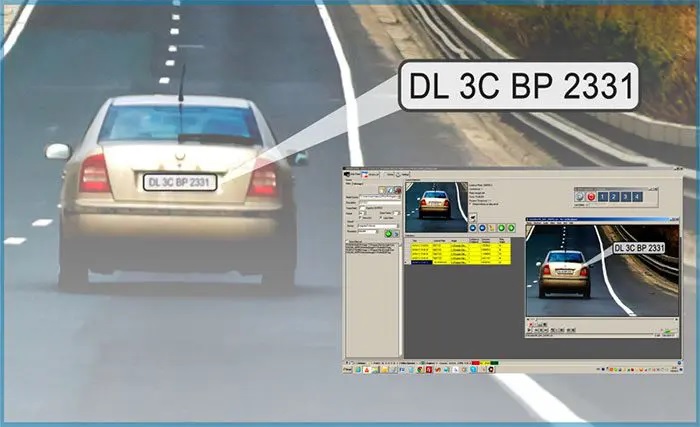
License Plate Scanner, also known as Automatic License Plate Recognition (ALPR), is a computer vision technique used for identifying and reading vehicle license plates from an input image.
ALPR is widely utilized for traffic management including toll collection, parking management, and applications for monitoring and controlling vehicle movements.
Unique aspects of this project include coping with varying license plate formats, and fonts, and dealing with different lighting conditions, angles, and speeds.
The process typically involves detecting the license plate region, segmenting the characters, and using Optical Character Recognition (OCR) or deep learning algorithms to identify the characters on the plate.
You'll need: Python, OpenCV, and an OCR library like EasyOCR or Tesseract.
Source code: YOLOv8 number plate reader on GitHub.
16. Emotion Detection
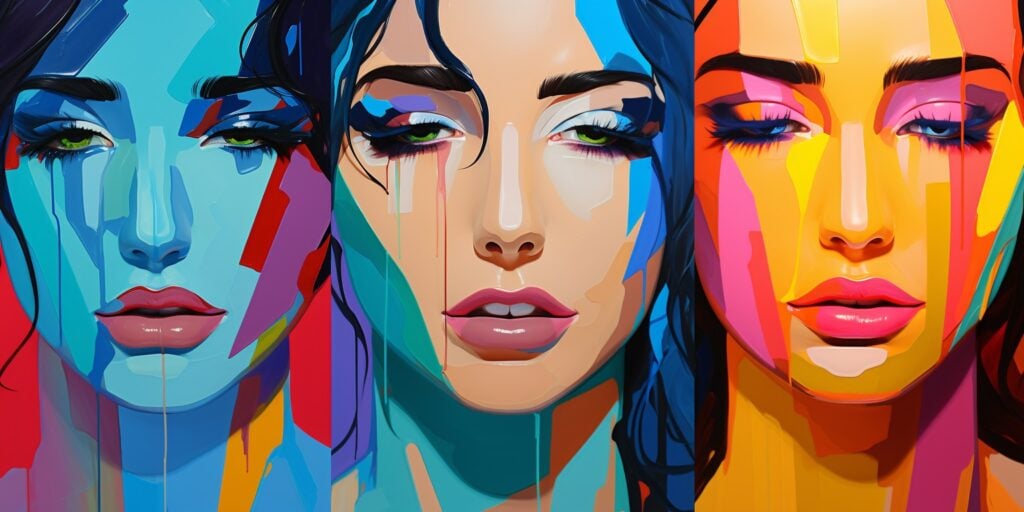
Emotion Detection is a fun computer vision project idea that involves analyzing facial expressions to deduce an emotional state. To me, a computer that can detect human emotions is pretty awesome.
The project harnesses computer vision techniques, including object detection to locate faces and image classification to categorize facial expressions into distinct emotions.
Emotion detection applications can be found in areas such as human-computer interaction systems, customer feedback analysis, and entertainment. Worth knowing if you’re building for Europe: since February 2025, the EU AI Act bans emotion recognition in workplaces and schools, except for medical or safety reasons.
Unique aspects of this project include distinguishing subtle variations in facial expressions and adapting to different lighting conditions and facial features. The process usually involves using facial landmarks for expression analysis and employing machine learning or deep learning models for emotion classification.
The FER-2013 dataset is the classic place to start, with about 35,000 small grayscale faces labeled with seven emotions.
You'll need: Python, PyTorch or TensorFlow, and the FER-2013 dataset.
Source code: Emotion-detection on GitHub.
17. Age and Gender Estimation
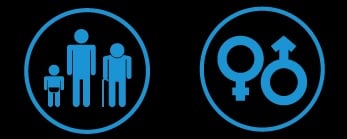
Using similar skills to what we learned with emotion detection, Age and Gender Estimation is one of the increasingly difficult computer vision projects that involves determining a person’s age and gender from their facial features.
Age and Gender Estimation is used in targeted advertising, customer analytics, personalized content recommendations, and security systems.
Unique aspects of this project include the challenges in accounting for variations in facial aging across different individuals and dealing with different lighting conditions, poses, and expressions.
The UTKFace dataset has more than 20,000 face photos labeled with age, gender, and ethnicity, from babies to people aged 116. Test your model across ages and skin tones, because models trained on unbalanced data guess worse for some groups.
You'll need: Python, PyTorch or TensorFlow, and the UTKFace dataset.
Source code: Gender-and-Age-Detection on GitHub.
18. Plant Detection

Plant Detection is a computer vision technique used to identify plants, or spot diseases on them, by analyzing images of leaves or stems.
The tech has been used in plant identification apps available in the app store.
It typically involves using image processing to enhance and segment the images, and machine learning or deep learning models to classify the plant or the disease. The PlantVillage dataset is a good start, with about 54,000 leaf photos across 38 classes of healthy and diseased crops.
Unique aspects of this project include handling a wide variety of plant species, and dealing with varying lighting conditions.
You'll need: Python, PyTorch or TensorFlow, and the PlantVillage dataset.
Source code: Plant-Disease-Detection on GitHub.
19. Text Translation
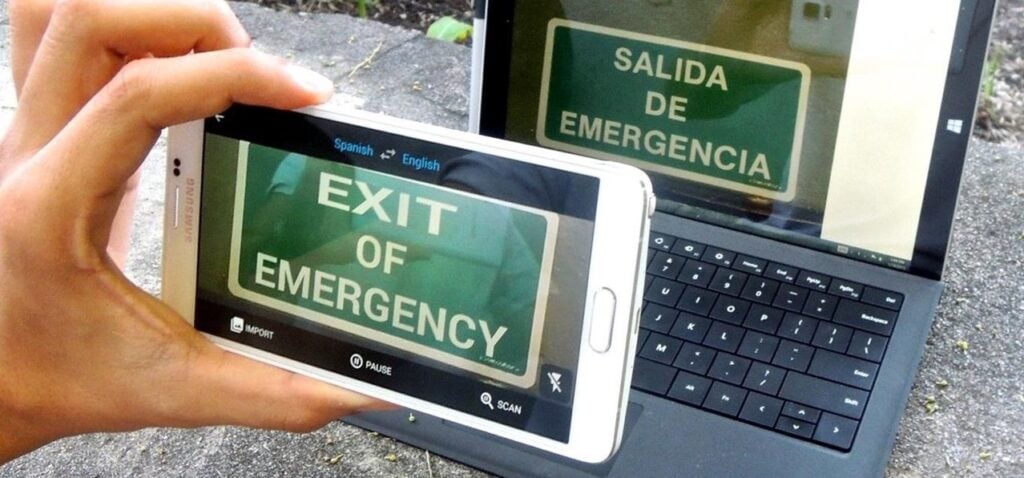
Text Translation in the context of computer vision involves detecting and recognizing text in images or videos and then translating it into a different language.
If you’ve ever been overseas you’ll understand how awesome these tools are. With nothing but your phone, you can read languages across the globe with ease.
It typically involves Optical Character Recognition (OCR) to extract text from images, and then using machine translation models to convert the text into the desired language.
You'll need: Python, an OCR library like EasyOCR, and a translation model or API.
Source code: manga-image-translator on GitHub.
20. Pose Detection
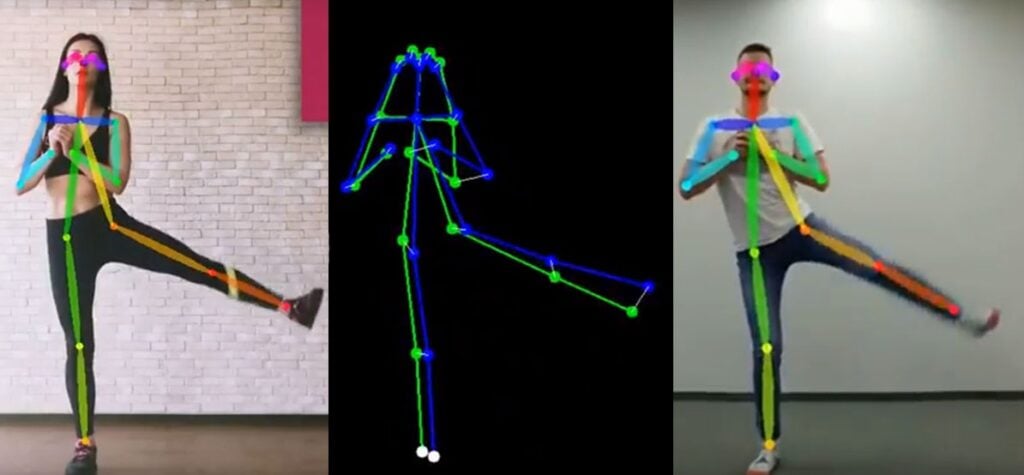
Pose detection is a computer vision application that detects the location of a person’s limbs in real-time, giving feedback if necessary.
It’s commonly used in AI fitness apps and home gyms, where computer vision can monitor the subject’s form and keep track of reps and sets.
The unique aspects of this project involve accurately identifying multiple joints and body parts and maintaining robustness across different body types, clothing, and environments.
Real-time feedback is also critical for applications like fitness coaching, meaning your model better be on point!
MediaPipe's Pose Landmarker tracks 33 points on the body, and YOLO pose models track 17 points on several people at once. Counting push-ups or squats from those points makes a great first build.
You'll need: Python, MediaPipe or Ultralytics YOLO, and a webcam.
Source code: LearnOpenCV AI fitness trainer on GitHub.
Advanced Computer Vision Projects
Advanced computer vision projects mean training or fine-tuning your own deep learning models on messy, real-world data, usually on a GPU. Free GPU notebooks on Kaggle or Colab are enough to get started.
21. Facial Recognition
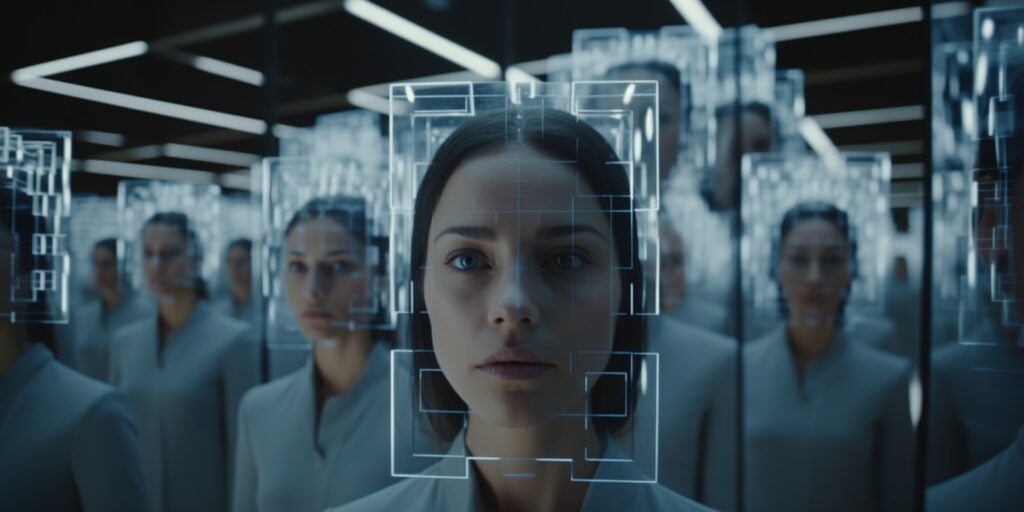
Facial Recognition is a computer vision technique that identifies or verifies a person’s identity by analyzing and comparing patterns in their facial features.
It is widely used in security systems, access control, law enforcement, and social media applications. The process involves detecting a face, extracting facial features, and comparing them to a database of known faces, kind of like a fingerprint.
Unique aspects of this project include dealing with variations in facial appearance due to aging, expressions, and lighting.
Facial recognition systems often employ deep learning models, such as convolutional neural networks, for high accuracy and robustness. The open-source face_recognition library gets a basic version running in a few lines, and DeepFace wraps several modern models, like ArcFace and FaceNet.
Check the law before you point it at the public. The EU AI Act bans building face databases by scraping images from the internet or CCTV, and several US states and cities restrict facial recognition too.
You'll need: Python, face_recognition or DeepFace, and photos of people who've agreed to it.
Source code: face_recognition on GitHub.
22. Food Recognition and Calorie Estimation
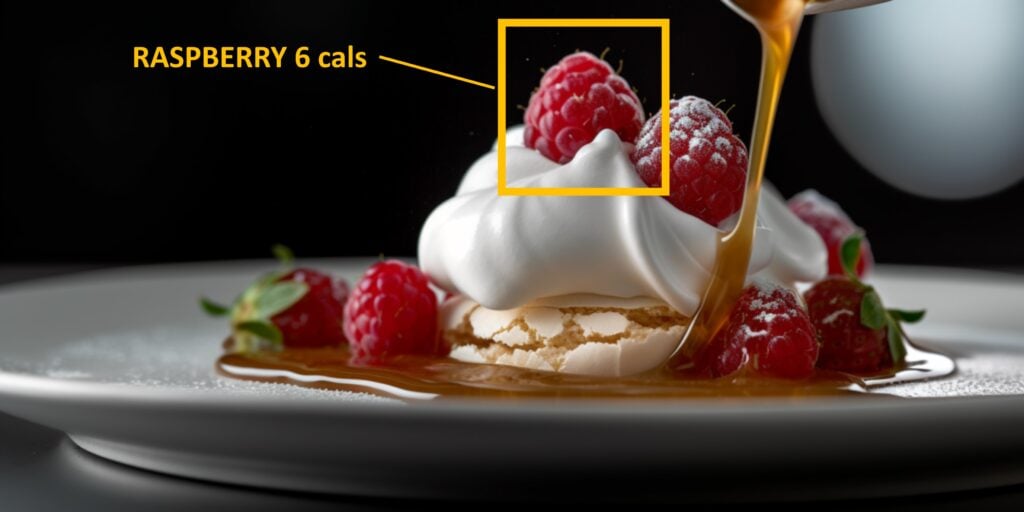
One of the more advanced computer vision projects is food recognition and calorie estimation. A bunch of apps have had a go at this, with varying results.
The process typically involves using image recognition to identify the food items and then estimating portion sizes to calculate the calorie content.
Deep learning models are often employed to improve accuracy in food recognition, and the Food-101 dataset, with 101,000 photos across 101 dishes, is the classic place to start training one.
You'll need: Python, PyTorch or TensorFlow, and the Food-101 dataset.
Source code: food-recognition on GitHub.
23. Handwriting Recognition
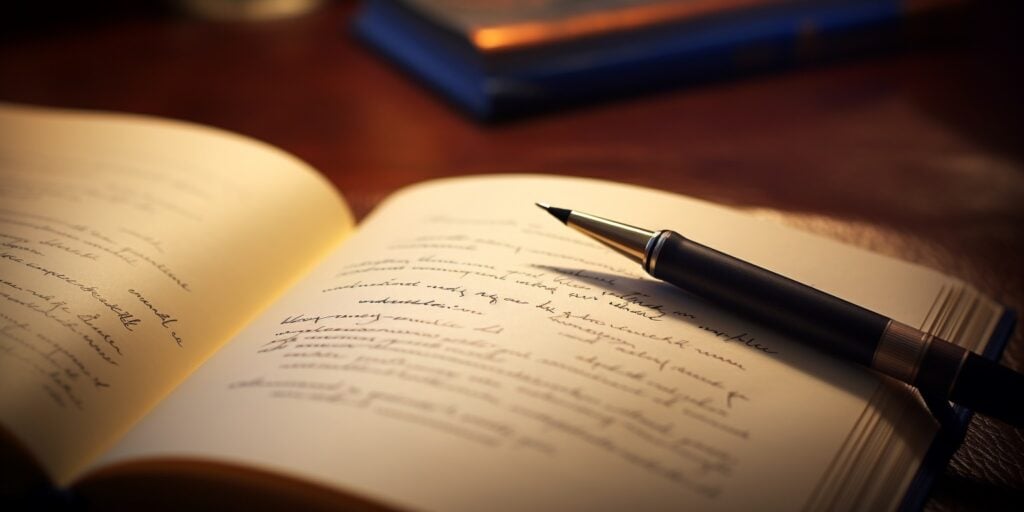
Handwriting Recognition is a computer vision project that involves converting handwritten text into digital format. It builds on the document scanner and adds a layer of complexity by adding in highly varying human handwriting.
It’s used in applications such as digitizing handwritten documents, processing forms or checks, and creating searchable archives of historical manuscripts.
The process involves segmenting the handwritten text, recognizing characters or words, and converting them into a digital format.
Unique aspects of this project include dealing with the wide variability in individual handwriting styles, handling cursive writing where characters are joined, and correcting for distortions and noise.
Older handwriting recognition systems used recurrent neural networks. Transformer models like Microsoft's TrOCR now do much better, and the IAM handwriting dataset is the standard place to train and test one.
You'll need: Python, Hugging Face Transformers, and the IAM dataset.
Source code: SimpleHTR on GitHub.
24. Medical Image Analysis
Medical image analysis is a computer vision project that finds signs of disease in X-rays, CT scans, MRIs, and skin photos.
It's one of the biggest real-world uses of computer vision. Hospitals use it to flag urgent scans for a radiologist, measure tumors, and screen for eye disease.
MedMNIST is the easiest way in. It bundles 18 small, standardized medical image datasets that train on a laptop. When you're ready for full-size images, the chest X-ray pneumonia dataset on Kaggle has 5,863 labeled X-rays, and MONAI is the open-source PyTorch framework built for medical imaging.
The unique challenges here are small, unbalanced datasets and the cost of a wrong answer. A model that misses pneumonia is worse than one that raises a false alarm, so measure how many real cases it catches, not just its overall accuracy. Treat it as a learning project, not a diagnosis tool.
You'll need: Python, PyTorch, MONAI, and a GPU for full-size scans.
Source code: MONAI tutorials on GitHub.
25. Visual Question Answering
Visual question answering is a computer vision project where you show an AI model a photo and ask it questions in plain English, like "How many people are wearing helmets?" or "What does this sign say?"
It mixes computer vision with natural language processing, and it's the tech behind AI assistants that can look at a photo, screenshot, or chart and explain it.
Instead of training a model from scratch, you run an open vision-language model like Qwen3-VL or SmolVLM. The Hugging Face image-text-to-text guide shows how to load one and ask it questions in a few lines of Python. Or skip the code: Qwen3-VL also runs locally in Ollama, where you can drop a photo into the chat and ask about it.
The advanced part is making it reliable. These models can confidently describe things that aren't there, so build a test set of your own images with known answers and measure how often it's right. Fine-tuning it on your own images, like product photos or safety footage, is the next step.
You'll need: Python, Hugging Face Transformers, and ideally a GPU.
Source code: Qwen3-VL on GitHub.
Take it further: use the same model for image captioning, writing a one-line description of every photo in a folder. It's a handy way to make a photo library searchable, or to write alt text for a website.
26. Adversarial Attack on Computer Vision Models
Diving into advanced territory, implementing an adversarial attack on computer vision models could be your next computer vision project idea.
An adversarial attack involves creating inputs that are almost identical to normal ones but are designed to fool deep-learning models into making incorrect predictions. This project can expose vulnerabilities in systems like autonomous vehicles or facial recognition.
It requires an in-depth understanding of deep learning models and their workings, as well as proficiency in libraries like TensorFlow or PyTorch. The open-source Adversarial Robustness Toolbox has ready-made attacks and defenses to test with.
Note: This project demands a high level of responsibility and ethical awareness due to the potential misuse of adversarial attacks.
You'll need: Python, PyTorch or TensorFlow, and a trained image classifier to attack.
Source code: torchattacks on GitHub.
27. Augmented Reality Filters
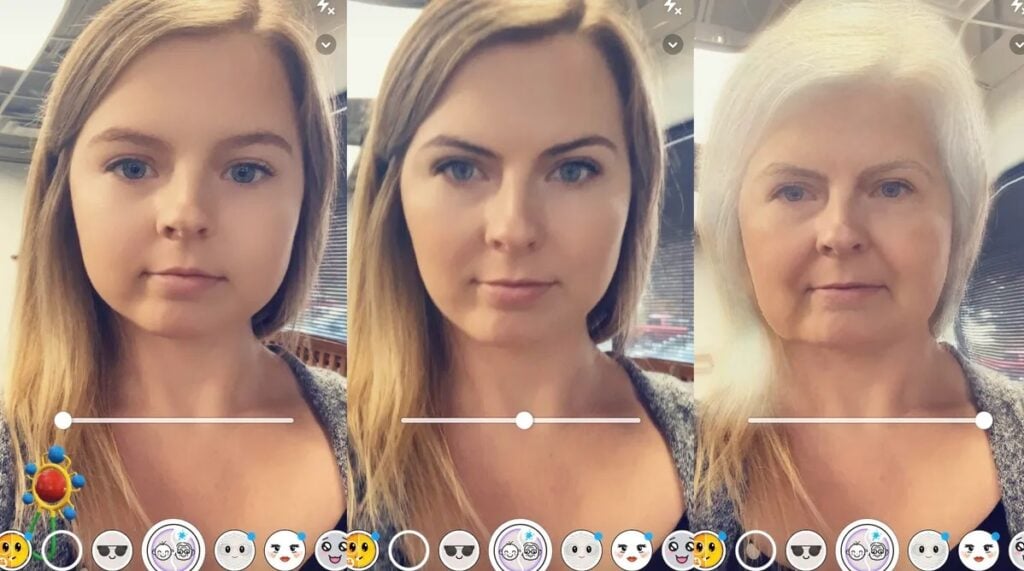
Augmented Reality Filters is a fancy name for a Snapchat filter. They overlay digital content onto the real-world view, often through the camera feed of a smartphone.
A unique aspect of this project is the need to create real-time interactions that are immersive, believable, and engaging.
To achieve this, there’s a need for highly optimized computer vision algorithms that can perform facial recognition, object tracking, and image rendering swiftly, even on mobile devices with limited resources. MediaPipe's Face Landmarker tracks 478 points on a face in real time, which is all you need to pin glasses, hats, or makeup to someone's face.
You'll need: Python or JavaScript, MediaPipe, and a webcam.
Source code: LearnOpenCV AR filters on GitHub.
28. Image Inpainting
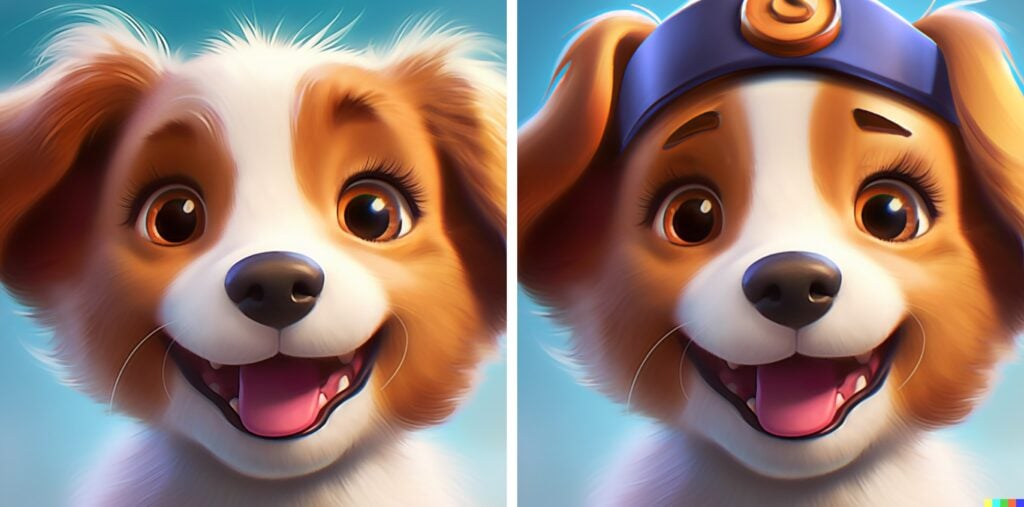
Image inpainting is a computer vision model that allows the user to add or remove content from an image. A great example of this is Adobe Firefly, which powers Photoshop’s Generative Fill (and plenty of Adobe Firefly alternatives do it too).
Inpainting can be used in photo editing for object removal, restoring old or damaged photographs, and video post-processing.
Unique to this project is the requirement for a deep understanding of textures and structures within images to generate visually coherent fill-ins.
Advanced image inpainting used to lean on generative adversarial networks. These days diffusion models, like the inpainting versions of Stable Diffusion, do much of the heavy lifting to produce high-quality reconstructions that are almost indistinguishable from the original, unaltered images. The Hugging Face Diffusers inpainting guide gets one running.
You'll need: Python, Hugging Face Diffusers, and a GPU.
Source code: LaMa on GitHub.
29. 3D Object Reconstruction
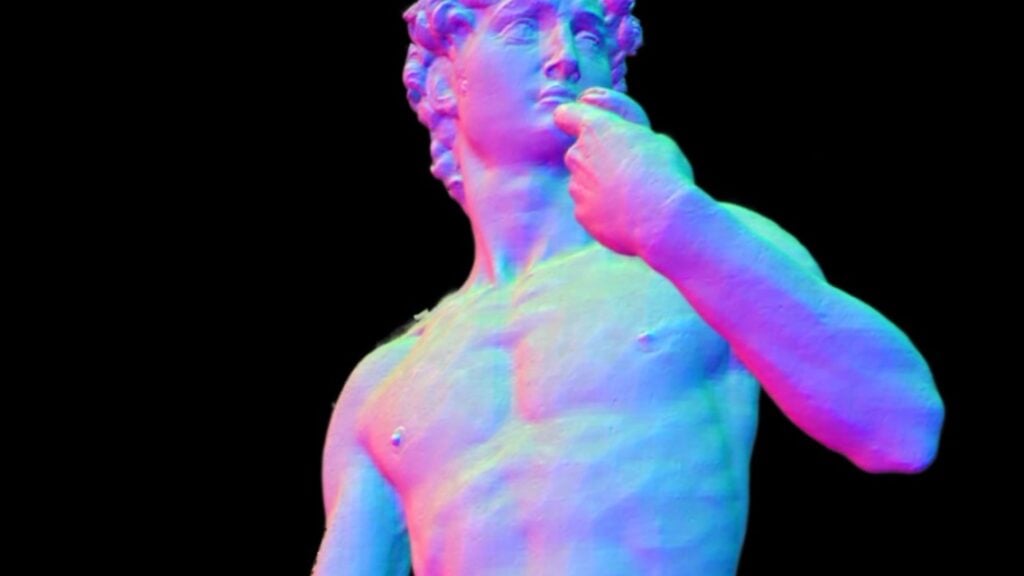
3D object reconstruction involves creating three-dimensional models of objects from two-dimensional images or videos.
This computer vision technique finds applications in various fields including, but not limited to, virtual reality, gaming, archaeology, medical imaging, and industrial design.
Neuralangelo from Nvidia is a great example of object reconstruction. Newer techniques like 3D Gaussian splatting can now render reconstructed scenes in real time. For a warm-up, Depth Anything V2 estimates how far away everything is from a single photo.
You'll need: Python, a GPU, and lots of photos of one object from different angles.
Source code: 3D Gaussian splatting on GitHub.
30. Sports Analysis
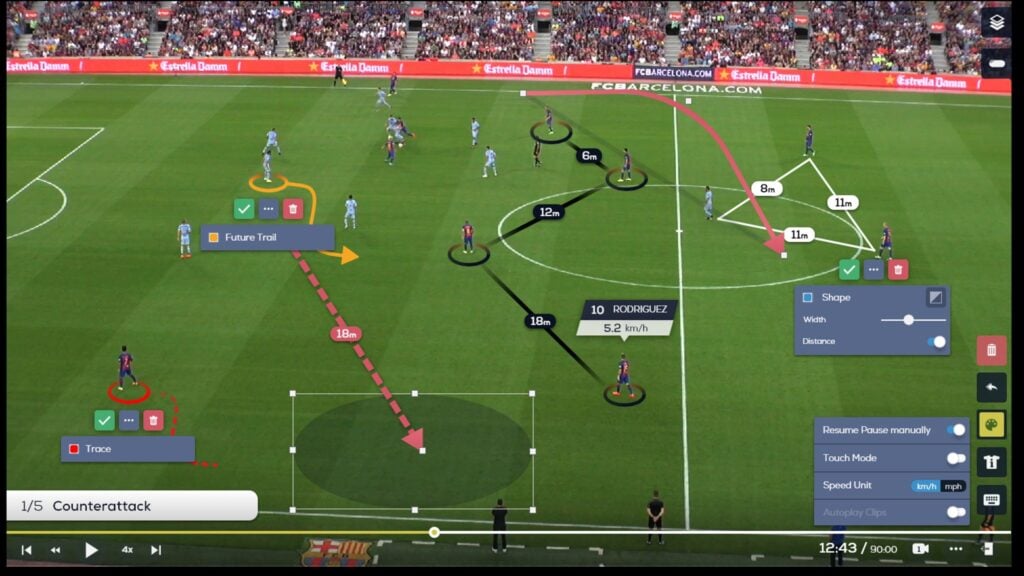
Last but not least on our list of computer vision projects is sports analysis.
Sports analysis using computer vision involves the automatic extraction of relevant information from sports videos and images to evaluate player performance, team strategy, or game dynamics.
It can be used by coaching staff, commentators, and sports analysts for performance enhancement, injury prevention, and audience engagement.
Unique aspects of this project include handling highly dynamic scenes and multiple objects, such as players and balls, in real-time.
Roboflow's open-source sports repo tracks soccer players, the ball, and the pitch lines, and makes a great starting point.
Since 2025, Wimbledon has replaced its human line judges with electronic line calling that tracks the ball with cameras.
You'll need: Python, Ultralytics YOLO, the supervision library, and match footage.
Source code: sports on GitHub.
What Are the Best Computer Vision Projects for a Final Year Project or Resume?
The best computer vision projects for a final year project or resume solve a real problem, use data you collected yourself, and run end to end on real images or video.
For a final year project, pick one you can measure: plant disease detection, traffic sign and lane detection, medical image analysis, or sports analysis. Examiners want a clear problem, your own labeled images, a simple baseline to beat, and accuracy numbers on images the model has never seen.
For a resume, pick one that shows the whole pipeline: a people counter, a license plate reader, or a pose-based rep counter. Employers look for a GitHub repo with a clear README, a short demo video, and honest notes on where the model still fails.
What Are Some Examples of Computer Vision?
Computer vision is behind face unlock on your phone, cars that read the road, apps that translate signs, and hospital software that reads scans. Some well-known examples:
- Face ID on the iPhone unlocks by projecting thousands of invisible dots to map your face.
- Tesla's driver-assist features run on cameras alone, which Tesla calls Tesla Vision.
- Google Lens reads and translates text through your phone's camera.
- Medical imaging tools make up most of the AI medical devices the FDA has authorized, reading X-rays, CT scans, and MRIs.
- Wimbledon's electronic line calling tracks the ball with cameras instead of human line judges.
- License plate cameras run toll roads, parking garages, and speed enforcement.
- Photo and video apps remove backgrounds, blur faces, and scan documents.
Most computer vision projects need Python, OpenCV, and a pre-trained model library like Ultralytics YOLO or MediaPipe. All of them are free to start with.
| Tool | Use it for |
|---|
| OpenCV | Reading images and video, color, edges, and classic tricks |
| Ultralytics YOLO | Detecting, tracking, and counting objects |
| MediaPipe | Hands, faces, and body pose in real time |
| PyTorch | Training and fine-tuning your own models |
| Hugging Face | Ready-made OCR, vision-language, and inpainting models |
| Roboflow and CVAT | Finding and labeling datasets |
| Kaggle and Google Colab | Free GPUs in your browser |
How Can I Get Started With a Computer Vision Project?
Start a computer vision project by picking one of the beginner projects, installing Python and OpenCV, and getting it working on your own webcam or photos. Then move up one level at a time.
- Learn the basics in Python. Most computer vision libraries and tutorials use it, including OpenCV, PyTorch, TensorFlow, and Ultralytics YOLO.
- Find a dataset. Roboflow Universe and Kaggle have thousands of free, labeled image datasets.
- Label your own images. For a project that's truly yours, label your own photos with a free tool like CVAT.
- Use pre-trained models. Fine-tuning a model like YOLO26 on a few hundred of your own images beats training one from scratch.
- Borrow a GPU. Free notebooks on Kaggle and Colab are enough for most projects on this list.
- Share it. Put the code on GitHub with a short demo video. That's what employers and examiners look at.
Community platforms like Stack Overflow or Reddit's r/computervision are great when you get stuck. To keep up with what's new, check out the best newsletters on AI and machine learning.
What Are Some Computer Vision Jobs?
Computer vision offers a variety of career opportunities in AI, including:
- Computer Vision Engineer
- Data Scientist
- Algorithm Engineer
- Research Scientist
- Machine Learning Engineer with a focus on vision applications
According to Payscale, a Computer Vision Engineer in the United States earns an average base salary of about $128,000 a year, with the typical range running from about $88,000 to $184,000 depending on experience and location.
What is Computer Vision?
Computer vision is a field of artificial intelligence that allows computers to interpret and understand the visual world. It allows computers to make sense of visual information similar to how we humans do.
Computer vision encompasses a range of applications beyond mere image and video analysis. It includes object detection and recognition, image classification, motion analysis, and scene reconstruction.
Computer vision techniques are used in a variety of fields such as autonomous vehicles, robotics, healthcare, surveillance, and many others. As the technology becomes more accessible, more industries are adopting AI and computer vision technologies in their products, which makes it a great thing to learn about.
There are a range of computer vision books for anyone interested in filling their bookshelves!
How Does Computer Vision Work?
Computer vision interprets physical and visual data from the real world in a way the computer can make sense of the data.
First and foremost, the data usually undergoes pre-processing to enhance image quality and remove noise, which is crucial for the effectiveness of feature extraction and subsequent analysis.
After pre-processing, data is fed into a machine learning algorithm that detects and extracts the main features, traditionally using a Convolutional Neural Network (CNN) and increasingly a vision transformer.
The main features can then be described and post-processing and further decision-making can be completed. For example in robotics, the completion of this process may result in a physical action by the robot.
You can also skip a lot of this now. The big multimodal models behind ChatGPT, Gemini, and Claude can look at a photo and describe it, read the text in it, or answer questions about it, so a few of the projects on this list are only a handful of lines of code if you're happy to call one of their APIs. Building it yourself is still where you learn the most, though.
Wrapping Up
Today we took a look at 30 computer vision projects from beginner level to advanced.
As AI continues to integrate into our everyday lives so too will computer vision. The technology serves to improve the way that computers can interact with the world, and the way humans interact with machines.
Want to branch out beyond images? My list of machine learning projects has 30 more ideas with source code, from Titanic survival prediction to a RAG chatbot.
That’s all from me! Catch-ya 👋