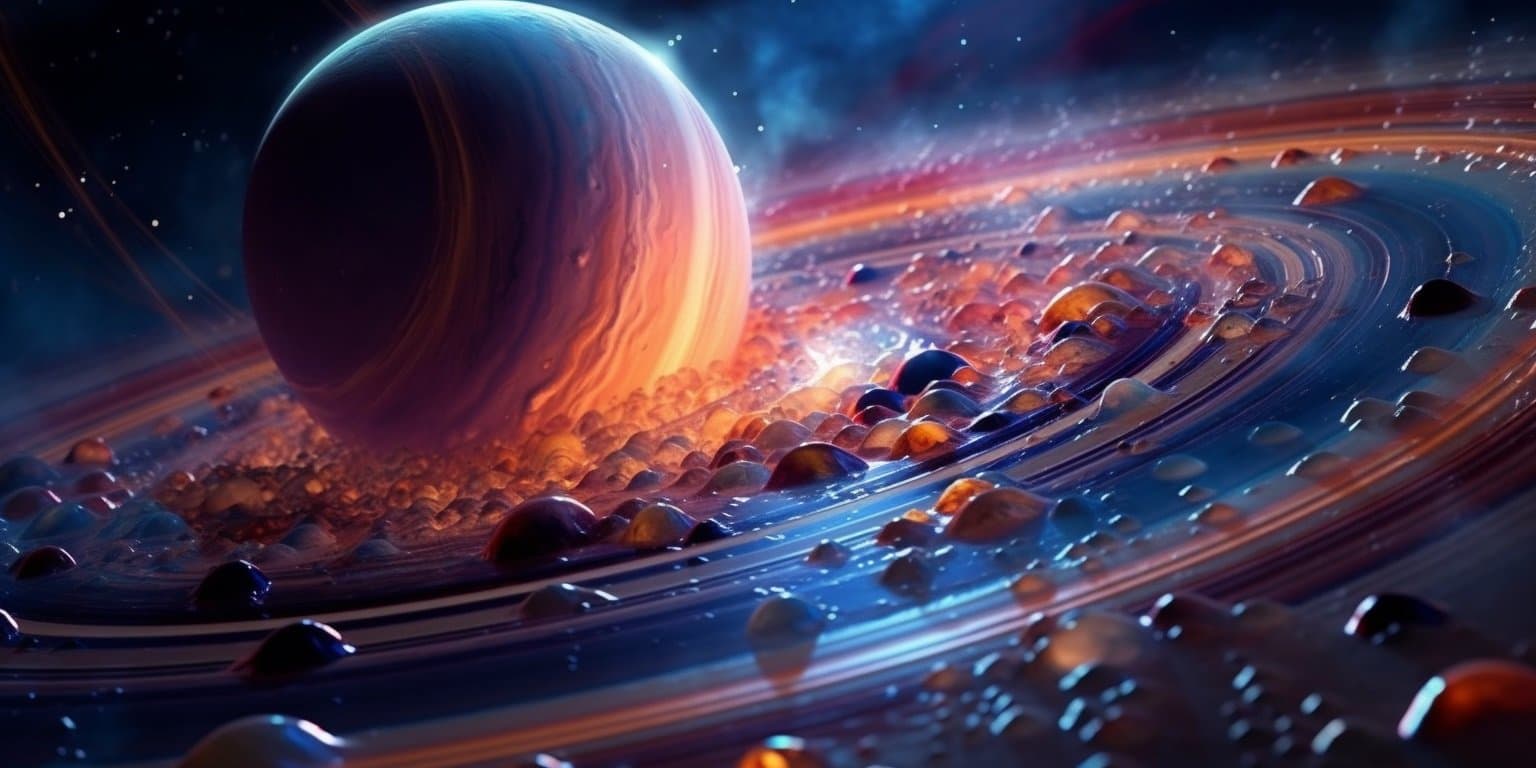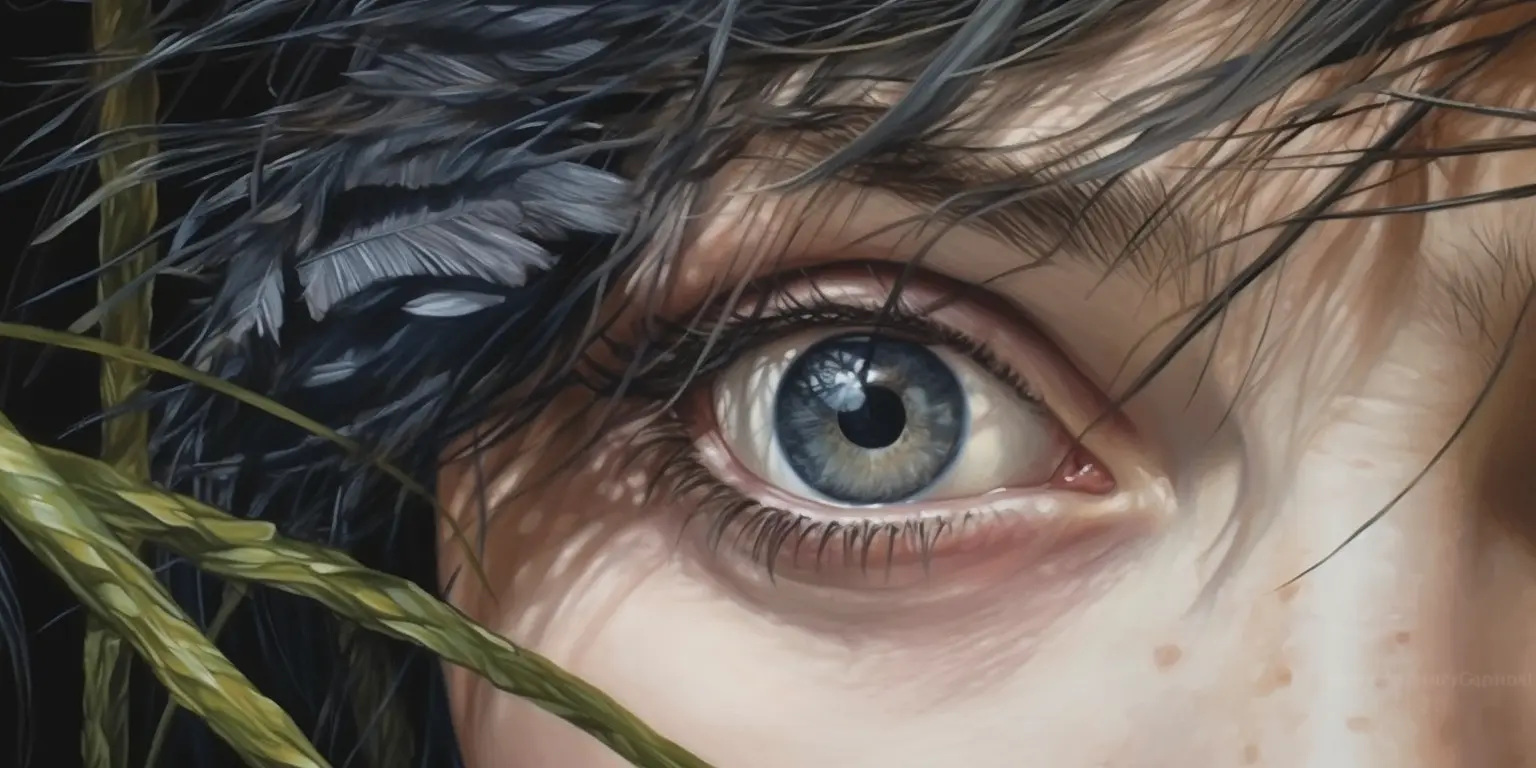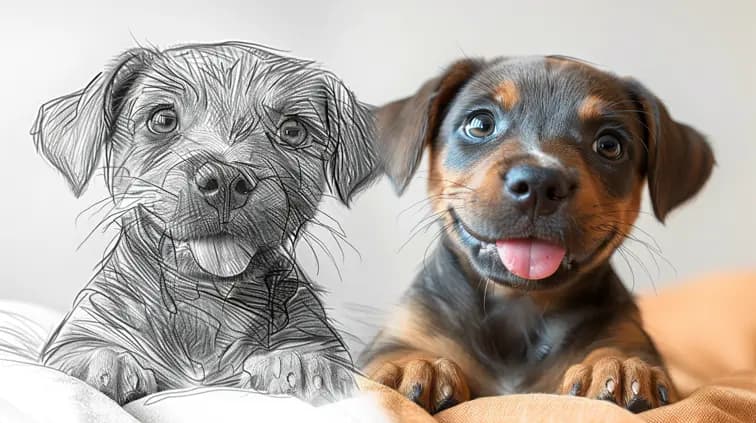
Alongside AI language models like ChatGPT, AI image generators are probably one of the most impressive applications of AI for creators.
With its incredibly realistic and creative generations, Midjourney has earned itself the reputation as the best AI image generator.
In this review, I’m going to work out if that’s still true.
So if you’re looking to dip your toes into the world of AI art and see what it’s all about, you’re in the right place. 👇
Midjourney 101: What is Midjourney?
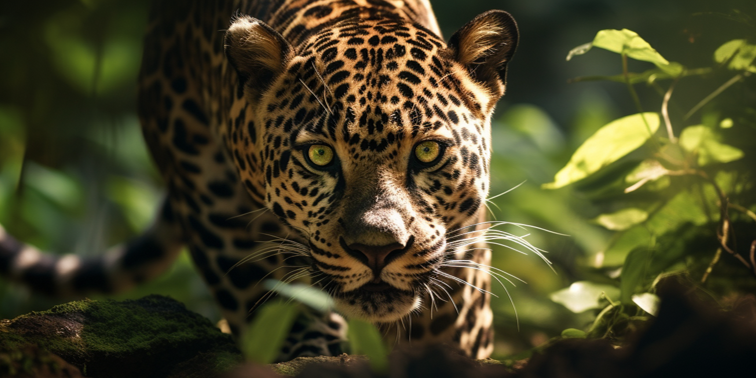
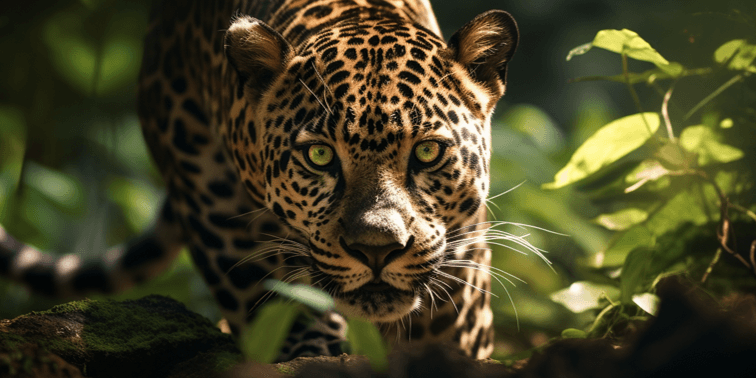
Jaguar created using Midjourney 5.0.
Midjourney is a cutting-edge AI tool designed to create images from text prompts, allowing users with no artistic skills to easily create world class imagery in seconds. These days it can turn those images into short videos too.
Midjourney was launched in 2022 by David Holz, and its Discord server alone has about 18.5 million members.
Midjourney started out as a Discord bot. It now runs on its own website at midjourney.com, which opened to everyone in August 2024, and the Discord bot still works if you prefer it.
Midjourney has continually evolved since its inception. The current default model is V8.2, which arrived in July 2026, and since June 2025 it can animate your images into five-second videos.
Despite Midjourney’s capabilities to create art from simple text prompts, the platform has also stirred up debates over copyright concerns and is battling ongoing copyright lawsuits.
Midjourney is still widely regarded as one of the highest quality AI image generators thanks to its photorealistic images and how easily you can refine them. Let’s take a look at the upside of Midjourney.
Midjourney Review: The Brightside of AI Image Generators
AI image generators really are a beautiful thing when used properly. They can be used by anyone and everyone, they’ve been used to create stunning artworks that have won art competitions, and they’re under continuous improvement.
Midjourney: Everyone Can Use It
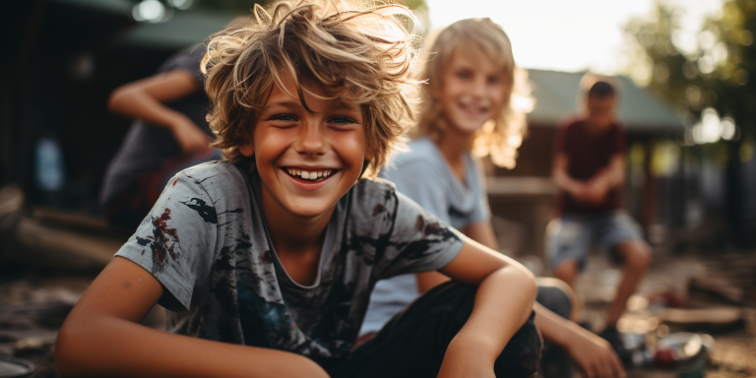
Midjourney can create photorealistic images.
Artificial Intelligence powered image generators have been in development for years – often confined to machine learning research departments at top academic institutions.
When Midjourney opened to the public in July 2022 it saw dramatic adoption due to the relatively high quality images it could generate.
But it wasn’t just the imagery that allowed Midjourney to see such wide adoption – It was the accessibility.
Anyone with an internet connection and a keyboard (and these days, a subscription) was, and still is, able to generate images with nothing but simple natural language descriptions.
This ease of use is a massive upside and has allowed human creativity to be expressed in way that we’ve never seen before.
In Midjourney, You Can Create Anything
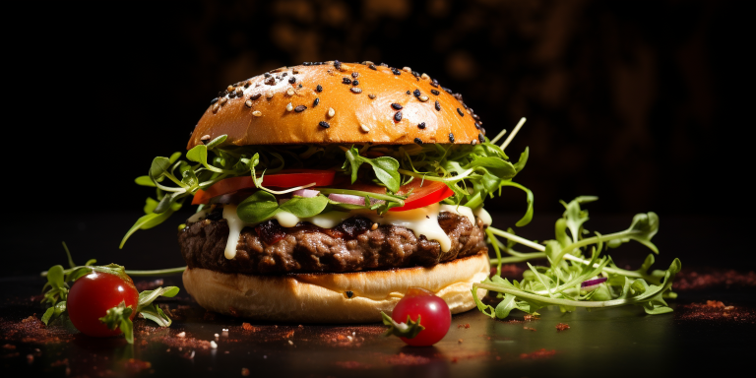
Hungry? This burger was created in Midjourney.
If you can dream it and describe it, Midjourney can generate images for it (everything within reason that is).
Midjourney has got certain restrictions in place to prevent improper use, but we’ll get to that later.
The ability of Midjourney to generate images that exhibit signs of true creativity still amazes me to this day, and some of the most effective Midjourney prompts are the simplest ones!
Iterate and Improve with Midjourney
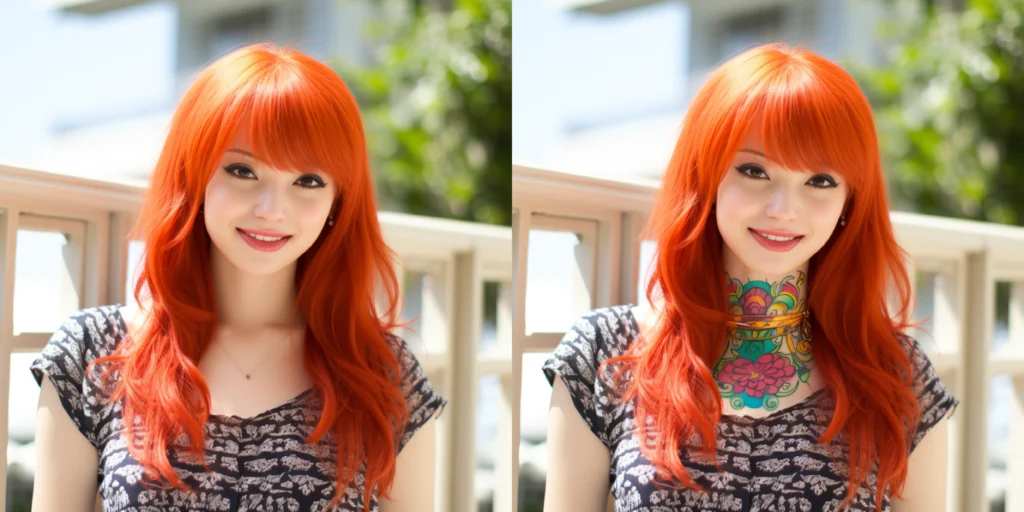
This image shows the power of Midjourney’s Vary(region) function, where I’ve added a neck tattoo to the woman.
Now this is where things get really interesting – it’s something that you don’t often see talked about in the mainstream articles.
The ability to modify and iterate your AI generated images.
This used to just be a case of refining your prompt and trying again, but Midjourney added a feature called Vary (Region).
Vary (Region) allows you to select specific items or areas of your AI generated art and adjust, modify, or remove them completely.
On the website, open your image and click Edit, paint over the area you want to change, describe what you want there, and submit.
On V8.1 and V8.2 this runs on Midjourney’s new Edit model, which can also change a whole image from a plain instruction (think “make it night time”) or combine up to four reference images.
Changes that would have previously required an expert in Photoshop can now be done by anyone in seconds.
In my opinion, this is one of the most underrated features of Midjourney that no-one is talking about!
Midjourney Saves You Money
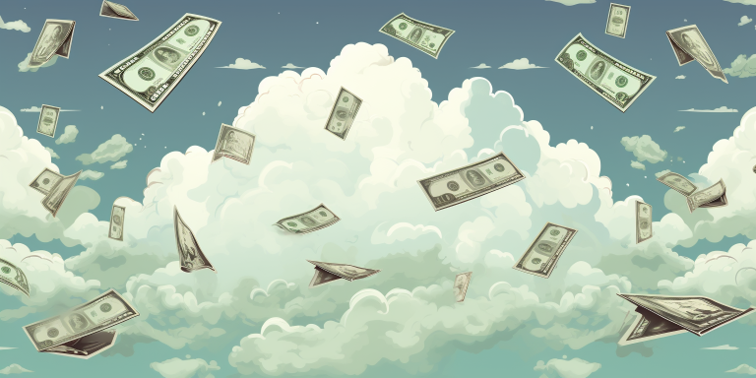
In Midjourney, sometimes it rains money.
Depending on how you use Midjourney to create images there can be some serious cost benefits.
First of all, if you’re just using Midjourney for a bit of fun you can get started with the Basic plan for just $10 a month. That’s an incredibly cheap price to pay to have access to such a powerful tool.
Standard is $30 a month and adds unlimited images in Relax mode, Pro is $60 and Mega is $120. Pay yearly and you save 20% on any of them.
Alternatively, if you’re a professional blogger, YouTuber, eCommerce store owner, or any other business that relies on high quality images, you can save significant cash by leveraging a Midjourney subscription!
And if you’re concerned about privacy, the Pro and Mega plans both allow ‘Stealth Mode’ – which means your AI images are not public. To turn it on, open the settings panel from the Imagine bar and switch on Stealth, add --stealth to a prompt, or type /stealth in Discord. Anything you make in a public Discord channel can still be seen by everyone in it, though.
Alongside saving your hard earned dollars, there are a number of ways to make money with Midjourney too!
Midjourney Review: The Downside of AI Generated Art
Midjourney has found itself wearing the crown as the best AI art generator but it hasn’t come easily.
With lawsuits, deepfake controversy, and hot competition, the last few years have been a wild ride for Midjourney’s famously small team (about 40 people in 2023).
Let’s check out the not so fun side of this popular AI image generator.
Lawsuits
Midjourney is facing a number of ongoing legal battles, and they all have one thing in common – Copyright.
The way Midjourney, and other artificial intelligence image tools are trained is with public images on the internet – including copyright images.
A famous example of this is the lawsuit Getty Images filed against Stability AI in 2023, over Stable Diffusion – a key Midjourney rival. As you can see in the AI image generated below, it still shows traces of the original copyright image’s watermark from Getty.
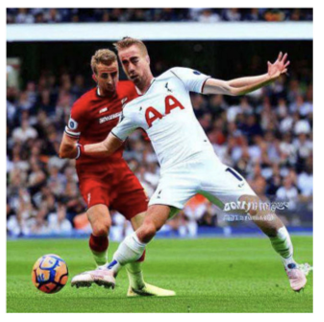
AI Image generated with Stable Diffusion that still contains a watermark from the original.
Midjourney is in the firing line itself. Artists Sarah Andersen, Kelly McKernan and Karla Ortiz sued Midjourney, Stability AI and DeviantArt in January 2023. Then Hollywood piled on: Disney and Universal sued in June 2025 over characters from Star Wars, The Simpsons and Despicable Me (NBC News), and Warner Bros. Discovery followed in September 2025 over Batman, Bugs Bunny and Scooby-Doo (PetaPixel).
Midjourney denies wrongdoing and argues that fair use covers its training (TIME). The legality around all this is still very much a grey area, and none of these cases has reached a verdict yet, so expect the copyright fight to drag on for Midjourney and every other generative AI company that trained on public data.
Deepfakes
In the context of AI image generators – Deepfakes are a photorealistic image generated by the platform that convincingly imitates a real person or object, potentially for deceptive or manipulative purposes.
And this is exactly what happened with Midjourney in March 2023.
In one instance, Midjourney was used to generate fake images of Donald Trump being arrested.
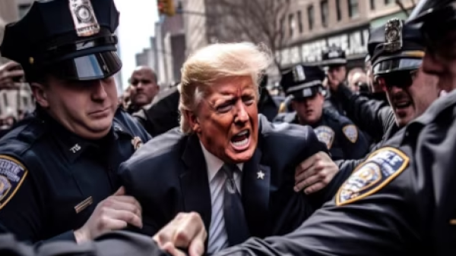
Deepfake image of Donald Trump generated with Midjourney.
Another example was this image of the Pope wearing a white puffer coat.
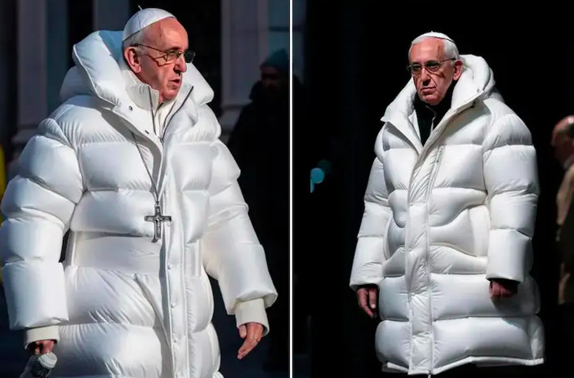
Deepfake image of the Pope generated with Midjourney.
As it turned out, the deepfake images were generated by users taking advantage of Midjourney’s free trial, which in turn led to the end of free trials – much to the dismay of many users. There’s still no free trial today.
Midjourney has also put filters in place to battle deepfakes and inappropriate generations. Back in 2023, people even compiled lists of blocked Midjourney terms. Its moderation still blocks some prompts, but blocked jobs don’t cost you any GPU time.
Adult Images and Gore
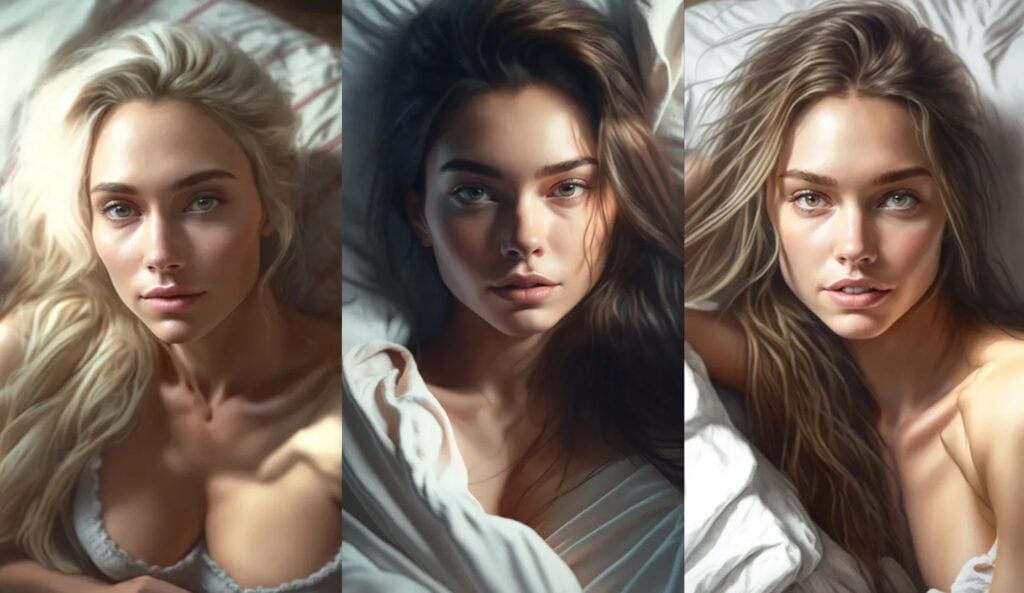
Midjourney blocks the generation of Adult images and nudity.
You probably won’t be surprised to learn people were using Midjourney to make adult images.
This has led to a list of banned keywords that are unable to be used in the natural language descriptions in an effort to combat these adult images. Midjourney’s terms of service say it aims to keep things PG-13, with no adult content or gore.
While most of the choices are reasonable, sometimes the banned keywords can get in the way of an honest prompt.
The banned keywords have also driven some users to other platforms with less restrictions such as Stable Diffusion.
Competition
There’s no shortage of competition in the AI generated art space. Here are the main competitors of Midjourney AI:
- Stable Diffusion and FLUX: Stable Diffusion is Stability AI’s open text-to-image model, first released in 2022 (the latest family is Stable Diffusion 3.5). You can download it and run it on your own PC for free unless your business makes over $1M a year. Black Forest Labs’ FLUX models are the other big name you can run at home.
- Adobe Firefly: Adobe Firefly is built into Photoshop and other Adobe apps. Adobe says its own Firefly models are trained on licensed and public-domain content, so their output is safe for commercial use. The Firefly app now includes partner models like OpenAI’s GPT Image and Google’s Nano Banana too.
- ChatGPT Images: OpenAI has retired Dall-E from ChatGPT. Its replacement, ChatGPT Images, is on every ChatGPT plan including the free one, can add text to images, and lets you edit a picture just by asking.
- Google Gemini: Google’s Nano Banana image models are free to use in the Gemini app, with clear text and easy photo edits. Paid Google AI plans unlock more use and the newest model.
Midjourney’s images still have a look that’s hard to beat, but the competition has caught up fast. In a16z’s 2026 ranking of the most-visited generative AI websites, Midjourney sat at #46, down from the top 10 in 2023. If you want to see how Midjourney compares with one rival in detail, check out my Leonardo AI review.
What Do Artists Think of Midjourney?
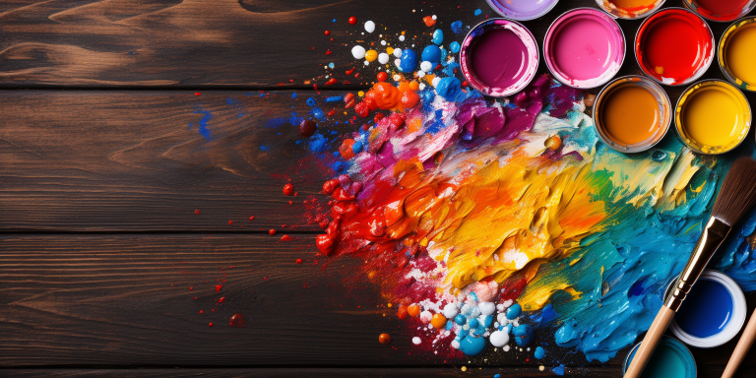
Some artists love to use Midjourney to spur creativity and new ideas.
While the initial reception across the art community was negative due to the issues around copyright and ‘stolen’ art, there are an increasing number of artists who are advocating for the use of Midjourney in their artistic workflows. Here’s a few ways Midjourney helps artists:
- Creativity: The AI doesn’t work in a vacuum. It generates images as a collaborative partner. By tapping out a few sentences the artist can work alongside Midjourney to conceptualize and get creative juices flowing for a new idea.
- Experimentation: The tool encourages artists to explore different styles, compositions, and themes that they may not have considered otherwise, further aiding creativity.
- Skill Augmentation: Midjourney can help artists fill in gaps in their skill sets. Whether it’s backgrounds, textures, or complex elements, the AI can generate aspects that an artist might find time-consuming or challenging.
Overall, after the initial shock of Midjourney wore off amongst artists, it appears many artists are embracing Midjourney in their creative workflows.
How to Get Started Using Midjourney
If you’re still reading, chances are you want to give Midjourney a try for yourself! The good news is, it’s simple to get started:
- Subscribe: Log in at midjourney.com and pick a plan. There’s no free trial, so Basic at $10 a month is the cheapest way in.
- Find the Imagine bar: Head to the Create page and click into the Imagine bar at the top. Prefer Discord? Type “/imagine” in the Midjourney server or in a direct message to the bot instead.
- Basic Prompt: Type whatever you want and hit Enter!
- Creative Prompting: Input your custom text, ranging from complex subjects and artistic styles to moods and singular keywords, for the images generated.
- Pick Your Favorite: Midjourney will generate 4 images. Click the one you like to open it, then use the Upscale, Vary and Edit buttons to take it further. (In Discord, the U buttons pull your favorite out of the grid.)
- Adjust The Stylize Parameter: The stylize parameter controls how much artistic flair Midjourney adds to your image. It goes from 0 to 1000 and the default value is 100. To adjust it, add
--s {number}or--stylize {number}to the end of your prompt. - Adjust The Chaos Parameter: The chaos parameter (called Variety on the website) controls how different your four images are from each other. Chaos values range from 0 to 100 and the default value is 0. To adjust it, add
--c {number}or--chaos {number}. - Set the Aspect Ratio: Adjust the aspect ratios to your needs by using
--ar {X:Y}. For example, if you wanted an image for your YouTube video you would set--ar 16:9. - Vary (Region): Play around with Vary Region in the Editor and add, modify, or remove objects from your final image.
- Try Permutation Prompts: Permutation prompts allow you to generate a series of images from a single prompt. For example, if you want to generate images with varying stylize values you can input
--s {100, 600, 1000}. This will generate 3 separate image sets with a stylize value of 100, 600, and 1000 respectively. Basic plans can run up to 4 jobs from one permutation prompt, Standard 10, and Pro and Mega 40.
These are some of the basic settings that will have you generating world class Midjourney images in no time. For every parameter in one place, grab my Midjourney cheat sheet.
Get Started with These Example Midjourney Prompts
I made these on older versions of Midjourney, so expect slightly different results on V8.2.
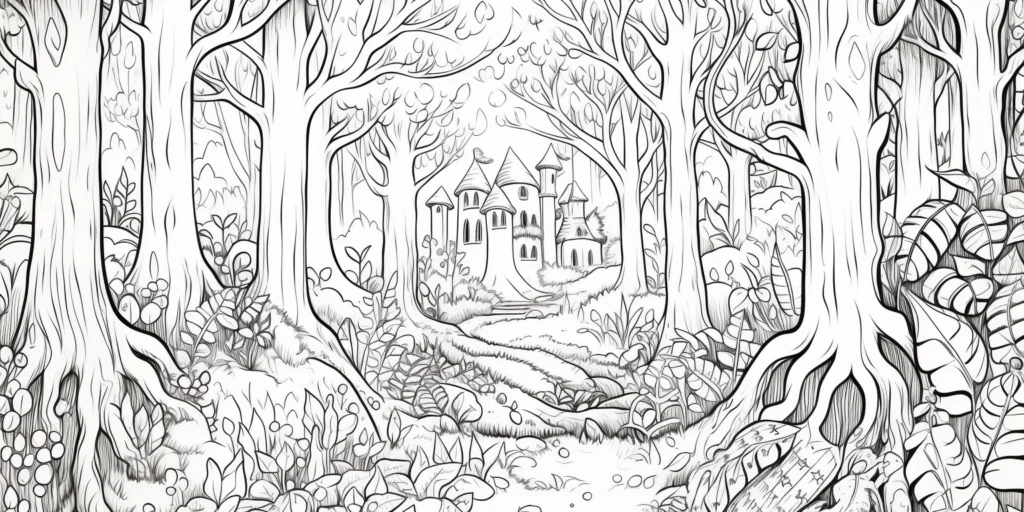
Prompt: Coloring book page, fantasy theme: A simple illustration of a mystical forest, towering trees, and hidden paths. adult coloring book page, thin black lines on a white background, no solid fill, large closed shapes, edge-to-edge design, whimsical style, only outline art – no noise, book, logo, page, letters, words, grayscale --ar 2:1 --s 90
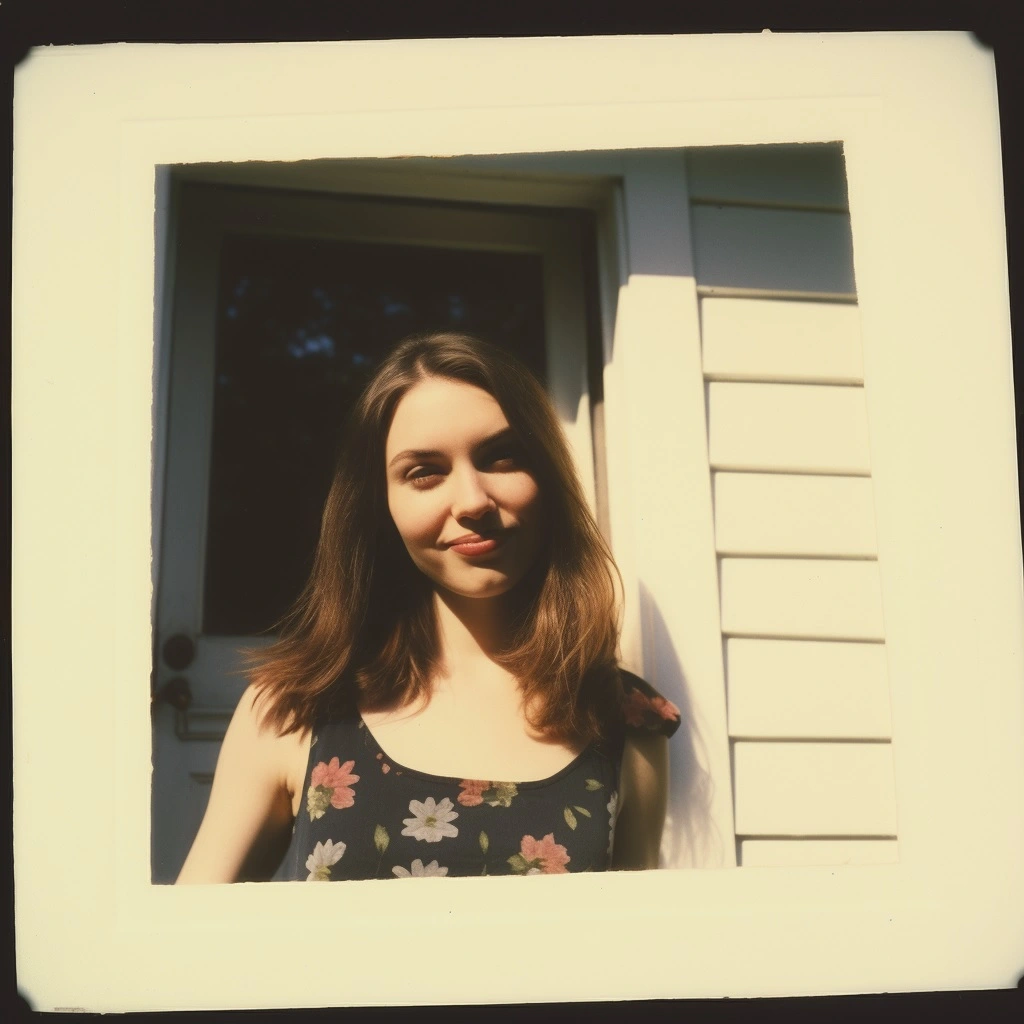
Prompt: polaroid snapshot of beautiful girl next door, 1990s, nostalgia, retro, vintage --s 10
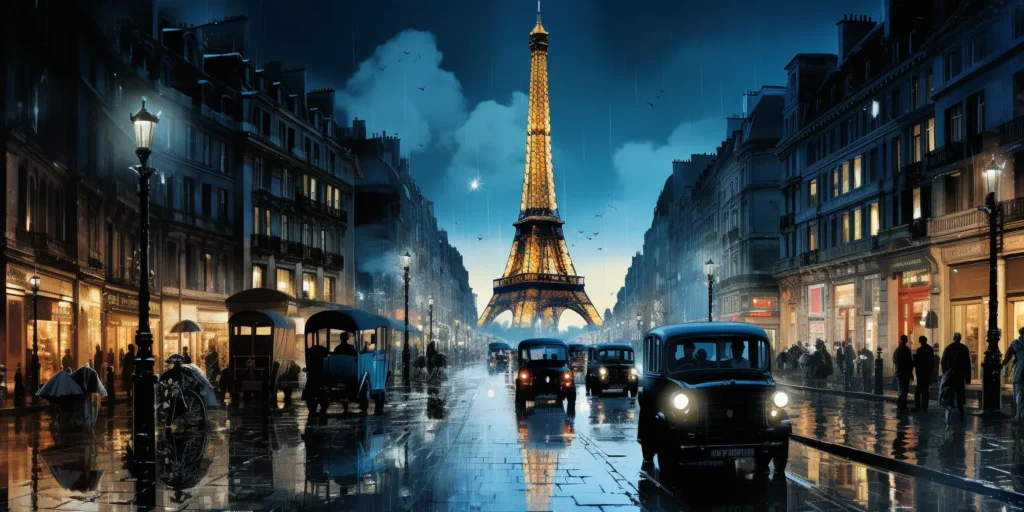
Prompt: Capture a bustling European café scene, complete with intricate details, such as filigree ironwork and cobblestone streets. Use impasto technique for texture and employ sfumato for a smoky atmosphere, in the tradition of old master oil paintings. --ar 2:1 --s 600 --c 100
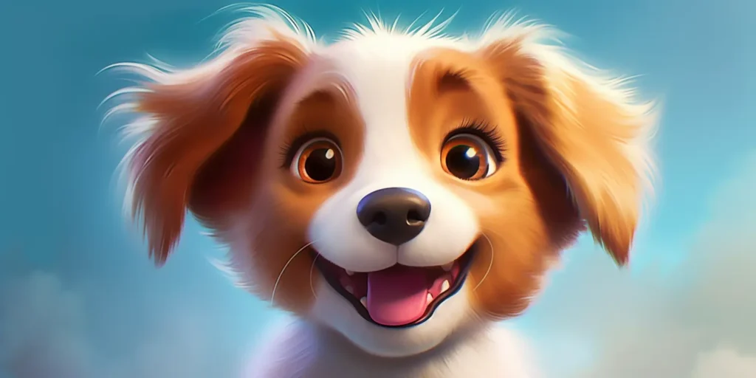
Prompt: a puppy happy with excitement, in the style of cartoon realism, disney animation, hyper-realistic portraits, 32k uhd, cute cartoonish designs, wallpaper, luminous brushwork --ar 2:1
The Verdict on Midjourney
Midjourney is still one of the best AI image generators around. Known for its photorealistic images and powerful editing features, it allows even novices to create stunning art. While ideal for artists, bloggers, and business owners, the platform is embroiled in copyright lawsuits. Overall, I give Midjourney a 9/10.
The old drawback, garbled words and lettering, has been worked on hard: Midjourney says V8.1 renders text better than ever. The bigger drawbacks now are that there’s no free plan, your images are public unless you pay $60 a month for Pro, and free tools like ChatGPT and Gemini now let you edit images just by describing the change.
Wrapping Up
Well there you have it folks – my Midjourney AI review.
After using Midjourney and all the other AI image tools, it’s still my favorite, despite the shortcomings outlined earlier.
The capability to generate some of the most realistic images alongside the affordable Midjourney cost ensures that Midjourney really does live up to its reputation as the best AI image generator.